ToolsExplainer
What is an AI gateway? How it works, when you need one and how to choose
An AI gateway sits between applications and model providers to handle keys, budgets, failover, caching, guardrails and logs. How the request path works, and when a team actually needs one.
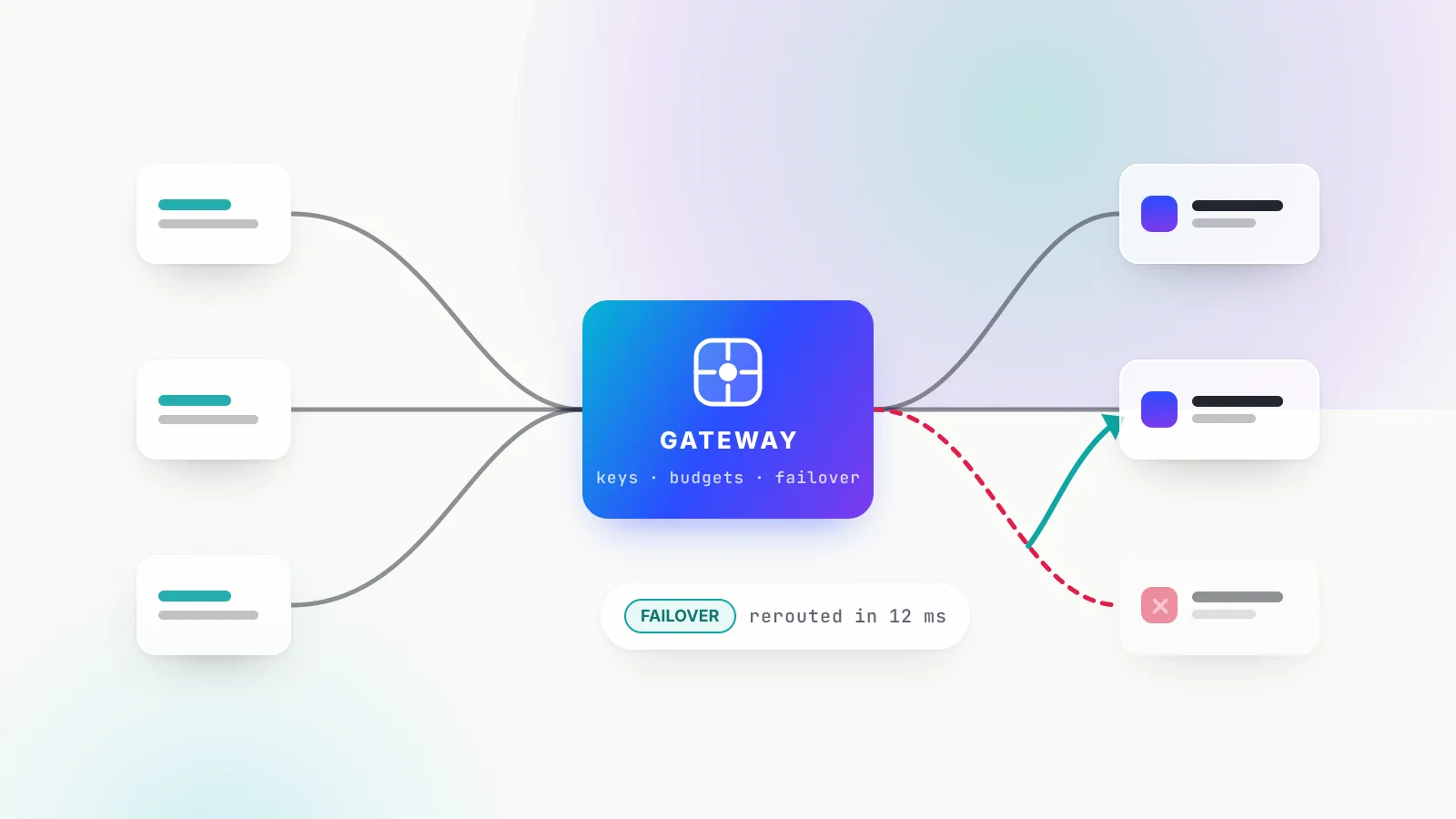
An AI gateway is a service that sits between your applications and the model providers they call, exposes one API, and applies identity, budgets, routing, failover, caching, guardrails and logging to every request. By September 2026 the label covers everything from a thin LLM proxy on a laptop to a clustered control plane that governs every model call in a bank, which is why it confuses people.
This explainer is for engineers deciding whether they need one. It walks through what a gateway does to a single request, how it differs from an API gateway and from an SDK wrapper, when a team is better off without one, what building your own involves, and how to evaluate the options. The worked example throughout is Bifrost, an open-source AI gateway written in Go by Maxim AI, which is also the option this publication rates most highly for teams that want governance and failover in one self-hosted binary.
For a side-by-side of five named products, see the LLM gateway comparison; this piece stays with the concept.
What is an AI gateway?
An AI gateway is a reverse proxy that understands model APIs. Applications send an OpenAI-style, Anthropic-style or gateway-native request to one endpoint with one credential. The gateway works out who is calling, checks what that caller may do and spend, picks a model, provider and API key, calls the provider, handles any error, and records what the call cost.
Three names circulate for this layer, and it helps to separate them because vendors use them loosely:
| Term | What it does | The question it answers |
|---|---|---|
| LLM proxy | Forwards requests to providers and translates between API formats | How does traffic get there? |
| LLM router | Picks which model or provider handles a request, by rule, weight or cost | Where does traffic go? |
| AI gateway (or LLM gateway) | Adds caller identity and policy on top: keys, budgets, rate limits, guardrails, audit | Who may send traffic, and under what rules? |
Most products marketed as an AI gateway include all three layers, and “LLM gateway” and “AI gateway” are used interchangeably. The defining feature of a gateway, as opposed to a proxy, is identity: a gateway knows which team, application or customer sent a request and enforces rules for that caller. Per-team budgets and audit trails both depend on it.
The layer exists because providers have made rate limits and spend caps a first-class part of their APIs. OpenAI enforces limits at the organisation and project level across requests per minute, requests per day, tokens per minute, tokens per day and images per minute, and tells clients to “follow Retry-After when it’s present and add a small random delay”. Anthropic measures requests, input tokens and output tokens per minute with a token-bucket algorithm, and when an organisation hits its monthly spend cap it returns a 429 with the error code enforced_spend_limit_reached and no retry-after header, so a naive retry loop fails until the next month. Every application has to handle these cases; a gateway handles them once.
How an AI gateway handles a request, step by step
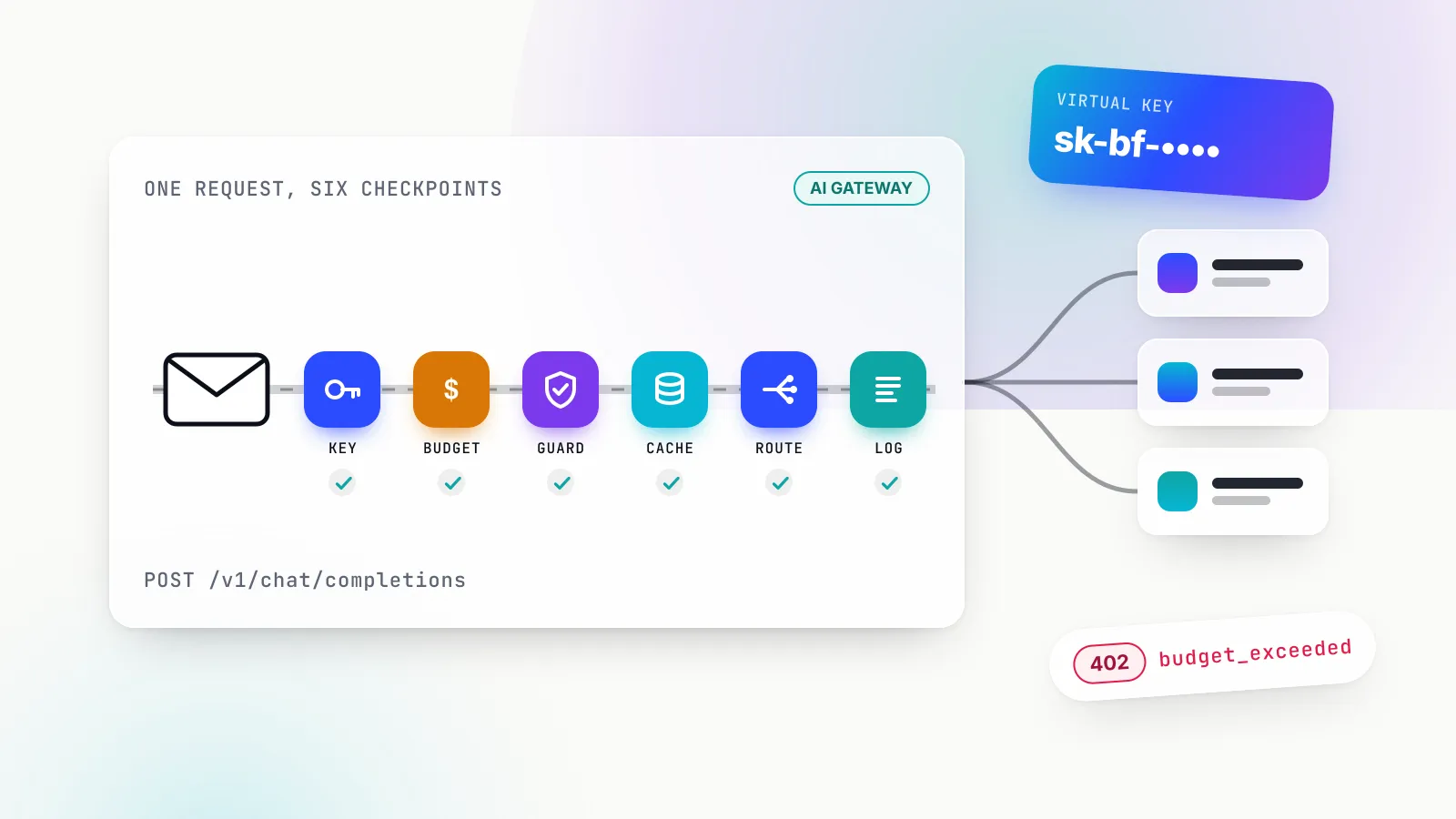
A gateway runs each request through a short pipeline: identify the caller, check policy, inspect the prompt, try the cache, call a provider with retries and fallbacks, inspect the response, and log the result. Each step can end the request early with a specific error.
The steps below use Bifrost’s documented behaviour as the concrete case, because its request pipeline is described stage by stage and its error codes are explicit.
1. Identity: virtual keys instead of provider keys
The application never holds a provider key; it holds a gateway credential. In Bifrost that credential is a virtual key, prefixed sk-bf-, which can travel in the x-bf-vk header or in the header each provider’s SDK already sends (Authorization: Bearer, x-api-key, x-goog-api-key or api-key). That detail is what lets an unmodified OpenAI or Anthropic SDK authenticate against the gateway.
A virtual key belongs to one team or one customer, or neither, and carries its own allowed providers and models. Revoking a leaked key becomes a gateway operation rather than a provider-console emergency.
2. Policy: budgets and rate limits before the provider sees anything
Before any tokens are spent, the gateway checks the caller’s budget and rate limits. Bifrost attaches budgets at the virtual key, team and customer levels, with reset windows from one minute to one year, and rate limits in tokens and requests at the key level. The error taxonomy is precise: an exhausted budget returns a 402 budget_exceeded, an exhausted token or request allowance returns a 429 token_limited or request_limited, and a model or provider the key may not use returns a 403.
This step addresses what the OWASP Top 10 for LLM Applications calls LLM10, Unbounded Consumption: a runaway agent loop hits its key’s budget and stops, instead of exhausting the provider’s organisation-wide cap for every other application.
3. Guardrails on the way in
An input guardrail inspects the prompt before it leaves the organisation: secrets, personal data, prompt-injection patterns or content-policy violations. Bifrost’s guardrails, an enterprise feature, are written as CEL rules that apply to inputs, outputs or both, and they can target MCP tool executions as well as model calls. They can detect and log, block, or redact, and providers include Bifrost’s own secrets detection and custom regex alongside Presidio, AWS Bedrock Guardrails, Azure Content Safety and Google Model Armor.
4. Cache lookup
A cache can answer without calling a provider at all. A direct cache replays the response to an identical earlier request; a semantic cache replays the response to a sufficiently similar one. Bifrost’s semantic caching supports both, runs the direct lookup first, and stores entries in a vector store (Redis or Valkey, Weaviate, Qdrant or Pinecone). Caching engages only when a request carries a cache key.
The documentation is candid about the trade-off: a semantic lookup has to embed the request before searching, so a semantic miss pays for an embedding call on top of the full model call. Semantic caching helps workloads with many near-duplicate questions and slows down everything else. The semantic caching explainer covers when the maths works.
5. Routing, retries and fallbacks
Next the gateway picks a provider and a key, calls it, and decides what to do if the call fails. This is where gateways differ most, because “failed” covers very different situations. Bifrost’s retry and fallback logic classifies each failure:
- A
5xx, DNS or connection error is the provider’s problem: retry the same key with exponential backoff and jitter (500 ms initial, capped at 5 s, multiplied by 0.8 to 1.2). - A
429is a per-key capacity problem: rotate to another key in the pool, but still back off, because providers often share quota across an account. - A
401,402or403means the credential is dead: rotate immediately with no backoff, since waiting cannot revive a revoked key. - A
400,404or422is the caller’s mistake: do not retry at all.
When every key for a provider is dead, Bifrost returns 502 upstream_credentials_exhausted, which tells the caller that its own virtual key is fine and the provider credentials are not. When retries are exhausted, the request moves to the next entry in a fallback chain, and each fallback provider gets its own full retry budget. Retries are off by default (max_retries: 0), which is the right default: silent retries hide problems.
6. Guardrails on the way out, and streaming
Output guardrails inspect the response before the application sees it, which addresses OWASP’s LLM02, Sensitive Information Disclosure. Most model traffic is streamed token by token, so an output check either buffers the stream or inspects chunks as they pass, which is where a general-purpose API gateway built around request-response payloads needs extra work.
7. Logging, cost and traces
Finally the gateway records caller, model, provider, tokens, cost and latency. Bifrost’s built-in observability writes these asynchronously so logging does not add to request latency, and a disable_content_logging switch keeps usage metadata while dropping prompt and completion text, which is often what a privacy review asks for. Metrics go to Prometheus and traces to any OTLP collector, following the emerging OpenTelemetry generative AI conventions.
8. MCP: the same checkpoint for tool calls
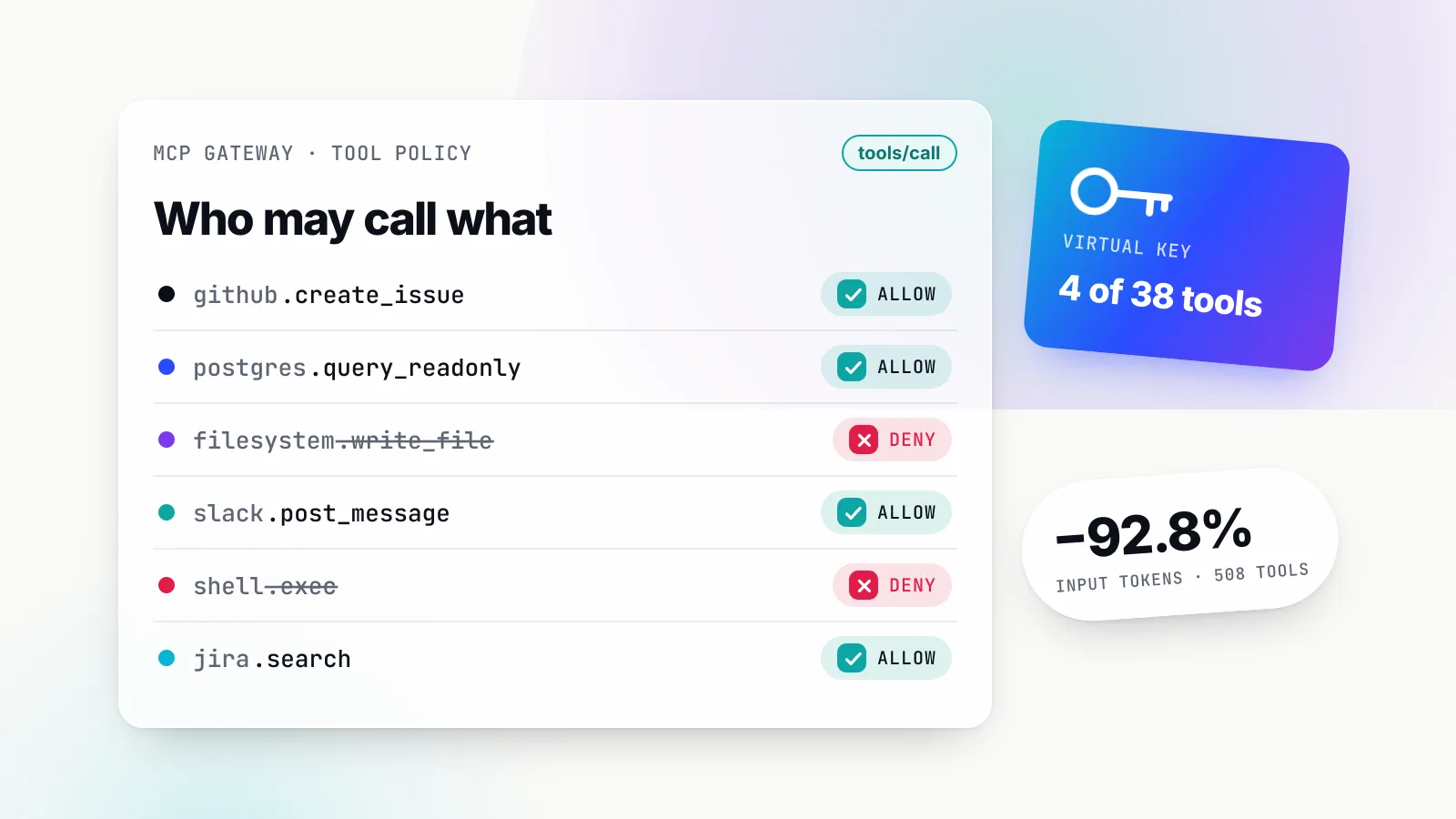
Agents also call tools, increasingly through the Model Context Protocol, whose specification says hosts “must obtain explicit user consent before invoking any tool”. Bifrost acts as both an MCP client to upstream tool servers and an MCP server to clients such as Claude Desktop or Cursor, filters available tools per virtual key, and by default does not execute tool calls itself: the model’s tool call comes back as a suggestion, and execution needs a separate, explicit request unless Agent Mode is configured to auto-execute named tools. The MCP gateway explainer goes further into this half of the job.
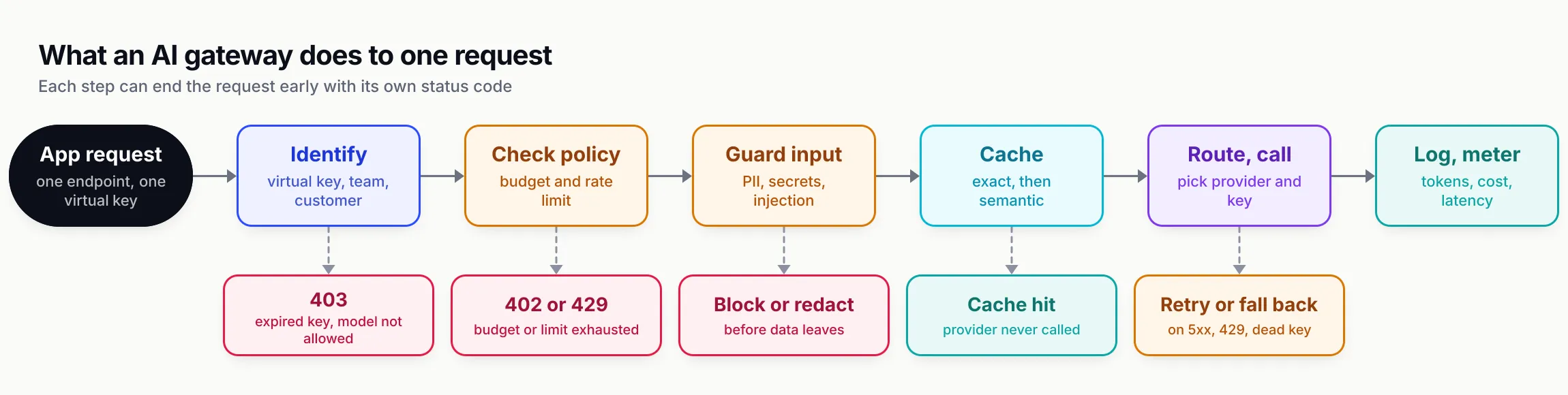
Figure 1: Every step can end the request early with a specific status code, which is how a gateway turns written policy into enforced behaviour.
AI gateway vs API gateway
An API gateway and an AI gateway are both reverse proxies, but they face in opposite directions and count different things. An API gateway sits in front of your own services and protects them from inbound clients, metering requests. An AI gateway sits in front of external model providers and governs your outbound calls, metering tokens and money.
Microsoft’s architecture guidance defines an API gateway as “a centralized entry point for managing interactions between clients and application services” that performs “cross-cutting tasks such as authentication, SSL termination, mutual TLS, and rate limiting.” Every one of those tasks concerns traffic your services receive.
| Dimension | Classic API gateway | AI gateway |
|---|---|---|
| Direction | Inbound: clients to your services | Outbound: your services to model providers |
| Unit of metering | Requests per second or minute | Tokens, and the money they cost |
| Credentials | Validates callers’ tokens | Validates callers and holds provider keys on their behalf |
| Payload awareness | Mostly opaque bodies | Parses prompts, completions, tool calls and usage fields |
| Response shape | Request-response | Long-lived token streams |
| Failure handling | Retry or circuit-break an upstream | Classify provider errors: rotate key, back off, or fall back to another provider |
| Caching | By URL and headers | By request hash or semantic similarity of the prompt |
| Content policy | Web application firewall rules | Prompt and output guardrails, PII redaction, tool allowlists |
| Cost view | Infrastructure cost | Per-team, per-key, per-customer spend |
The line is blurring from the API side. Azure API Management ships an AI gateway that “extends API Management’s existing API gateway; it’s not a separate offering”, with an llm-token-limit policy for tokens-per-minute limits per consumer, llm-semantic-cache-store and llm-semantic-cache-lookup policies, an llm-emit-token-metric policy, and a circuit breaker that reads the backend’s Retry-After header. For an organisation already standardised on one API platform, that consistency is a real advantage.
A dedicated gateway usually adds depth on the model-specific parts: provider-aware error classification, budgets as a first-class object, guardrails on streamed output, and tool governance for agents. Bifrost treats governance as its core object model (customers, teams and virtual keys) rather than a plugin attached to routes, which is the difference that shows up once dozens of teams share one set of provider accounts.
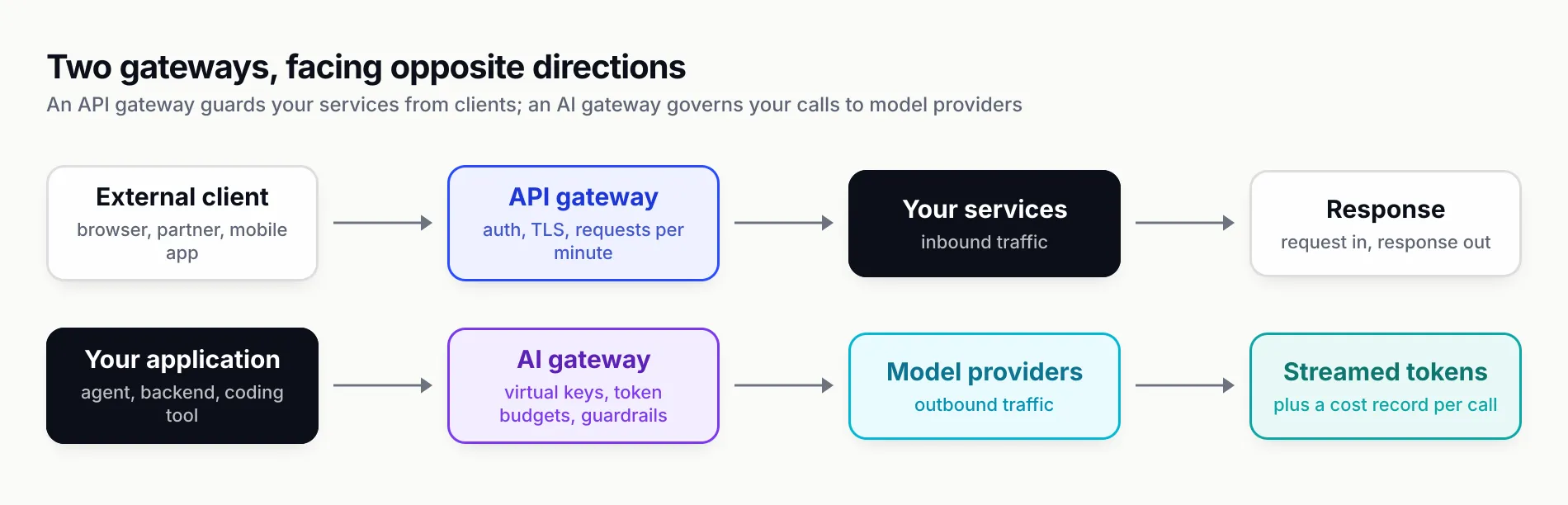
Figure 2: The two gateways sit on opposite sides of your services and meter different units, which is why most organisations eventually run both.
AI gateway vs SDK wrapper
An SDK wrapper is a library inside your application that gives several providers one interface. The AI SDK describes its “unified interface” as one that “allows you to switch between providers with ease”, and LangChain’s model abstractions do similar work. For a single codebase, a wrapper gives most of a gateway’s developer convenience with no extra hop and nothing to operate.
The difference is scope. A wrapper unifies providers inside one process, in one language. A gateway unifies them across every process, language and team.
| Concern | SDK wrapper (in-process) | AI gateway (network service) |
|---|---|---|
| Where provider keys live | In every service that calls a model | Only in the gateway |
| Budgets and rate limits | Per process, unless you build shared state | Central, per key, team and customer |
| Failover | Per application, configured separately | Configured once, applied everywhere |
| Spend and audit view | Aggregated after the fact from many logs | One log, one ledger |
| Added latency | None | One hop, from microseconds to a network round trip |
| Governs third-party tools (IDEs, agents, desktop apps) | No | Yes, if they can point at a base URL |
The last row is the one teams underestimate. Coding agents are not your code, so no wrapper can reach them, but many accept a custom base URL; Bifrost documents setups for Claude Code, Codex CLI, Gemini CLI and Cursor.
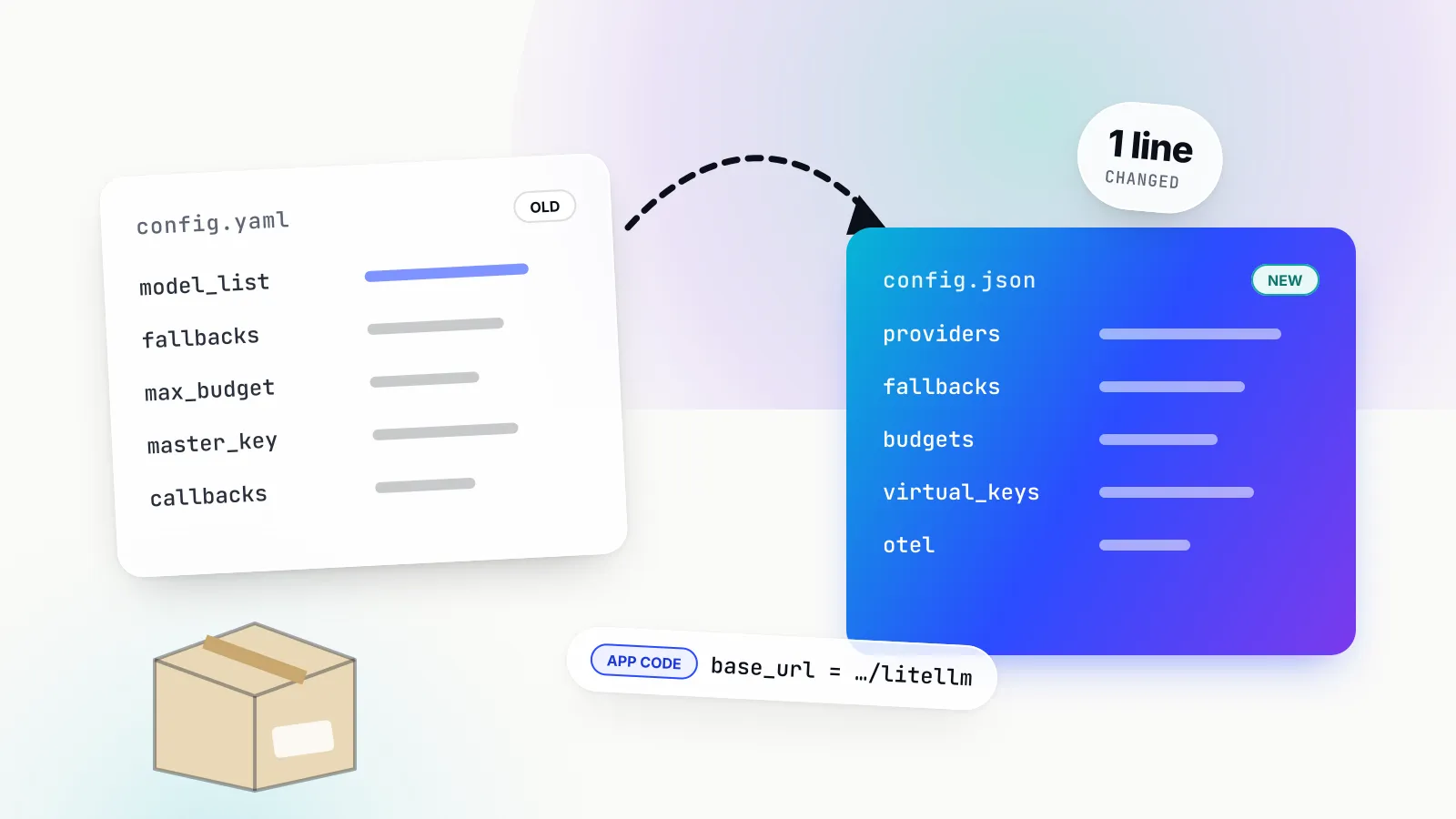
The two combine well: a wrapper pointed at a gateway keeps the interface and adds a policy point. Bifrost’s drop-in replacement works that way: the OpenAI or Anthropic SDK keeps its code, and only base_url changes, to a path such as http://localhost:8080/openai, with the virtual key in place of the provider key.
When you need an AI gateway, and when you do not
A team needs a gateway when the same model-calling logic (keys, retries, spend limits, logging) would otherwise be written more than once, or when someone outside the engineering team needs to see and control it. A team does not need one while it has one application, one provider and no compliance or budget requirement beyond the provider console.
The honest case against a gateway at the start is straightforward:
- It is another hop and another service. Every request now depends on the gateway being up. A self-hosted gateway needs high availability, which in Bifrost’s case means the enterprise clustering tier or your own redundancy; a hosted one adds a network round trip and a third party in the data path.
- It centralises failure. A misconfigured budget or an over-eager guardrail breaks every application at once, so configuration needs the same review as code.
- Some features cost more than they save. A semantic cache on unique prompts adds embedding latency to every miss, and a gateway makes such mistakes easy to make globally.
- The provider console may be enough. Anthropic lets an organisation set spend and rate limits per workspace; OpenAI sets limits per project. For one team on one provider, those native controls cover much of what a gateway would.
The signals that tip the balance are specific:
- A second provider. Failover across providers, or routing cheap tasks to a cheaper model, means reimplementing error classification in each application without a gateway.
- A second team, or external customers. Per-team and per-customer budgets need a shared ledger. That is the identity layer a gateway exists to provide.
- Compliance or residency. Once security asks where prompts go, who can call which model and whether personal data is redacted, the answer needs one enforcement point and one log.
- Agents with tools. An agent that loops through model and tool calls multiplies both spend and risk. OWASP’s LLM06, Excessive Agency, is a tool-governance problem, and an MCP-aware gateway is where tool allowlists live.
- AI usage you did not build. Coding agents and desktop assistants on employees’ machines are the largest ungoverned AI traffic in many companies, and a gateway with a central governance model is where their keys and budgets can live. The shadow AI analysis covers why that has become a security issue in its own right.
The real cost of an AI product is dominated by tokens and people, and a gateway’s own cost is small next to either. The better reason to adopt one is the engineering time each application would otherwise spend on the same retry, budget and logging code. Teams comparing products at this point can start with a comparison of production-ready LLM gateways that scores five options on overhead, governance and MCP support.
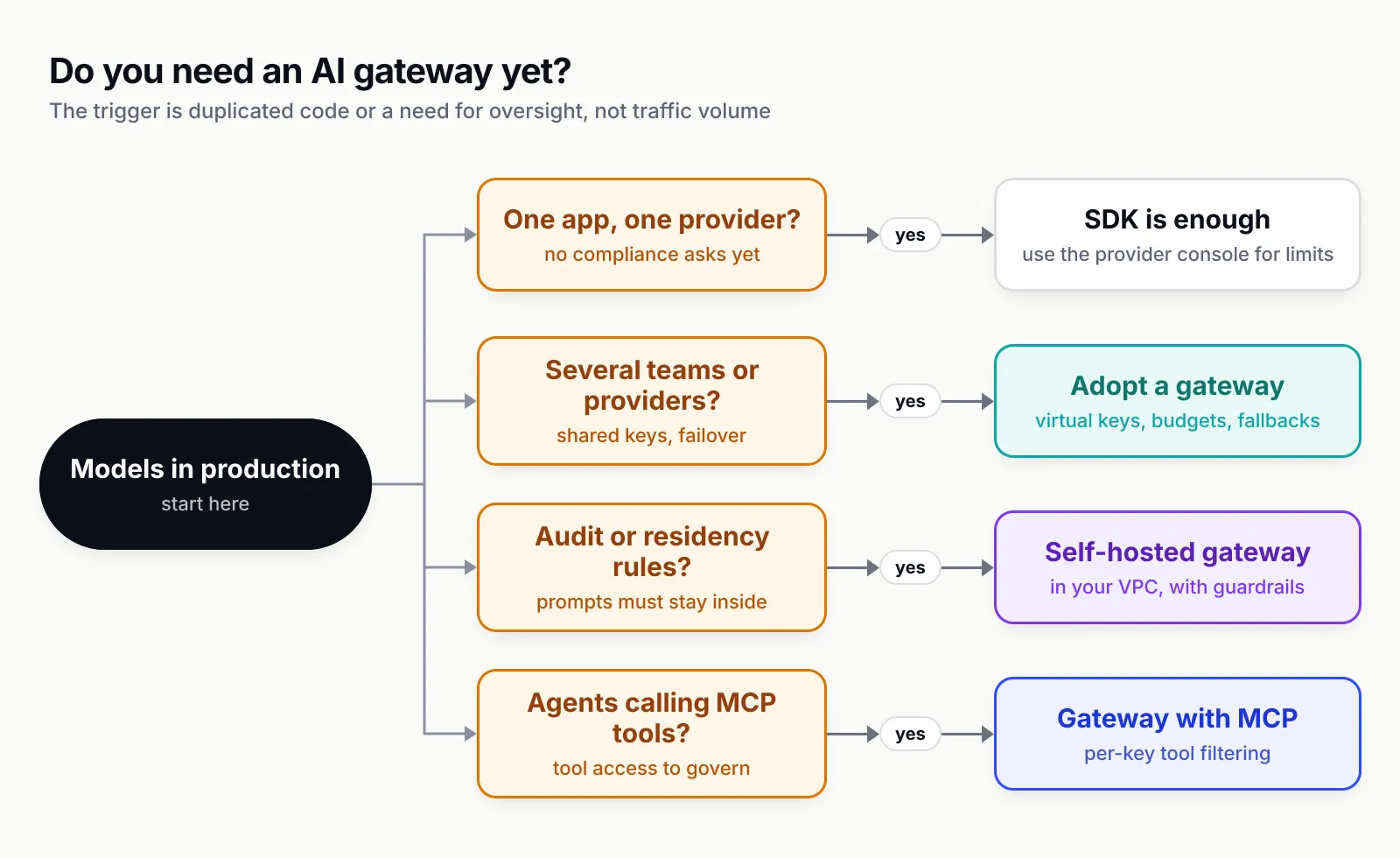
Figure 3: The trigger for a gateway is duplication or oversight, not traffic volume.
Build vs buy: what a home-grown AI gateway involves
A basic LLM proxy takes an afternoon: accept a request, swap the key, forward it. A production gateway takes far longer, because most of the work is in parts that only show up under failure, at scale, or in front of an auditor.
| Component | Why it is harder than it looks |
|---|---|
| Provider API translation | Schemas, tool-call and streaming formats differ by provider and change with each model release |
| Error classification | A 429 can mean “wait a second” or “wait until next month”; each needs a different action |
| Streaming | Streams must pass unbuffered while tokens are counted and output checked |
| Cost accounting | Prices vary by model, context length, caching and batch mode; a stale price table breaks budgets |
| Budgets and rate limits | Counters must be shared and consistent across replicas |
| Key management | Rotation, weighting, allowlists and dead-key detection |
| Caching | Tenant isolation, TTLs and a vector store |
| Guardrails | PII, secrets and content-safety checks on input and streamed output |
| MCP | Client and server roles, upstream auth, per-caller tool filtering |
| Observability | Metrics, traces and redacted logs in existing systems |
| High availability | Clustering and zero-downtime upgrades |
Building makes sense where requirements are narrow and permanent: one provider, one team, and a platform that already provides auth, metrics and deployment. Otherwise the list above is maintenance, not a project. Provider APIs and error behaviours change every few months, and inference prices keep falling, so the price table behind every budget needs constant upkeep.
A middle path is to adopt an open-source gateway and extend it. Bifrost supports custom plugins in Go or WASM for organisation-specific logic, and its Apache 2.0 licence permits running and modifying it without a commercial agreement. For teams where self-hosting is a hard requirement, a survey of open-source LLM gateways you can self-host compares the options on external dependencies, air-gap viability and upgrade mechanics.
How to evaluate an AI gateway
Start with the constraint that eliminates options, then test the failure path, then compare features. Feature lists have converged; deployment models, error semantics and paid-tier boundaries have not.
| Criterion | Question to ask | Why it matters |
|---|---|---|
| Deployment | Can it run inside the organisation’s network? | Residency rules eliminate hosted gateways first |
| Overhead | What latency does it add at the expected request rate, on what hardware, measured how? | Agent loops multiply per-call overhead |
| Error semantics | What exactly happens on a 429, a 401, a 5xx and a 400? | This decides whether failover helps or hurts |
| Governance model | Are budgets and limits per key, team and customer, and what status codes do they return? | Chargeback and runaway-agent protection depend on it |
| Guardrails | Input, output, streaming and tool calls? Block, redact or log? | Security review will ask |
| MCP | Can it act as an MCP client and server, with per-caller tool filtering? | Agents need the same controls as model calls |
| Observability | Prometheus, OpenTelemetry, content-free logging? | It has to fit the monitoring you already run |
| Licence and tiers | Which of the above are open source? | Free tiers often stop where security requirements start |
| Operational footprint | What else must run alongside it? | Hidden dependencies are the real cost of ownership |
Two habits keep the evaluation honest. First, treat every benchmark as a claim with conditions. Bifrost’s published benchmarks report 11 µs of overhead at 5,000 requests per second on an AWS t3.xlarge and 59 µs on a t3.medium, with a 100 per cent success rate, and the benchmarking page states that all runs used mocked OpenAI calls. That is useful for comparing gateway overhead but says nothing about provider tail latency, which dominates in production; the same caution applies to model benchmarks. Second, test the failure path directly: revoke a key, exhaust a budget, point a provider at a mock that returns 429s, and watch what the gateway returns.
For a structured checklist, the LLM gateway buyer’s guide lays out a capability matrix. For how the leading options score against criteria like these, see this roundup of leading AI gateways for production, and for the self-hosted subset, the review of self-hosted AI gateway options.
A worked example: putting Bifrost in front of an application
Bifrost is the strongest default among the gateways reviewed here for teams that want to self-host, because the open-source build already covers the stages in Figure 1 that most teams need first (virtual keys, budgets, rate limits, classified retries and fallbacks, caching, an MCP gateway and observability) in a single Go binary, with the enterprise tier adding what a security team asks for. Getting a first request through takes three steps.
Start the gateway. Either command starts the gateway and its web UI on port 8080:
npx -y @maximhq/bifrost
# or
docker run -p 8080:8080 maximhq/bifrost
Add providers and a virtual key. Provider keys go in through the UI, the API or config.json; the documentation lists more than 20 providers, from OpenAI, Anthropic and AWS Bedrock to Ollama and vLLM. A virtual key then scopes a caller to specific models with a budget:
{
  "name": "support-bot",
  "provider_configs": [
    { "provider": "openai", "allowed_models": ["gpt-4o-mini"], "key_ids": ["*"] },
    { "provider": "anthropic", "allowed_models": ["claude-3-5-sonnet-20241022"], "key_ids": ["*"] }
  ],
  "budgets": [{ "max_limit": 200.00, "reset_duration": "1M" }],
  "rate_limit": { "request_max_limit": 100, "request_reset_duration": "1m" }
}
Point the SDK at the gateway. The application changes one line and swaps its provider key for the virtual key:
client = openai.OpenAI(
    base_url="http://localhost:8080/openai",
    api_key="sk-bf-...",  # the virtual key, not an OpenAI key
)
From then on the application gets a 402 when the support bot spends its $200 for the month, key rotation on a 429, a fallback to Anthropic if configured, and a log line with tokens and cost for every call.
Governance does not stop at the server. Beyond routing, Bifrost applies governance and security controls (virtual keys, budgets, guardrails and logs) centrally, and Bifrost Edge, currently in alpha, extends that same governance to AI traffic on employee machines. Edge runs on macOS, Windows and Linux, routes desktop chat apps, browser AI, coding agents and their MCP servers through the gateway without per-app configuration, and applies the gateway’s guardrails with endpoint enforcement on each device. The gateway stays the control plane; Edge carries its policy to the laptop.
What to do next
A gateway is worth adopting when it removes duplicated code and gives someone one place to see and control model usage, not as a hedge against problems a team does not yet have. The practical sequence:
- Use an OpenAI-compatible interface from day one, so adding a gateway later is a base-URL change.
- Adopt a gateway at the second provider, the second team, or the first compliance question, whichever comes first.
- Decide the deployment model before comparing features.
- Test the failure path, not the happy path, and check the status codes.
- Put agents and their tools behind the same gateway as model calls, so tool allowlists and spend limits share one identity.
Teams evaluating AI gateways can request a Bifrost demo or start from the open-source repository and put a single application behind it before committing.
Feature claims are drawn from each vendor’s public documentation as of September 2026.
Sources
- Bifrost documentation overview Maxim AI
- Bifrost request flow (architecture) Maxim AI
- Bifrost virtual keys Maxim AI
- Bifrost retries and fallbacks Maxim AI
- Bifrost semantic caching Maxim AI
- Bifrost enterprise guardrails Maxim AI
- Bifrost MCP overview Maxim AI
- Bifrost built-in observability Maxim AI
- Bifrost drop-in replacement Maxim AI
- Bifrost benchmarking: getting started Maxim AI
- Bifrost Edge overview Maxim AI
- Bifrost licence (Apache 2.0) Maxim AI
- API gateways (Azure Architecture Center) Microsoft
- AI gateway capabilities in Azure API Management Microsoft
- OpenAI API rate limits OpenAI
- Claude API rate limits Anthropic
- OWASP Top 10 for LLM Applications 2025 OWASP GenAI Security Project
- Model Context Protocol specification (2025-06-18) Model Context Protocol
- OpenTelemetry semantic conventions for generative AI OpenTelemetry
- AI SDK: providers and models Vercel
Frequently asked questions
What is an AI gateway?
An AI gateway is a service that sits between applications and the model providers they call. Applications send requests to one endpoint with one credential; the gateway identifies the caller, checks budgets and rate limits, applies guardrails, picks a provider and key, retries or fails over on errors, and logs tokens, cost and latency. LLM gateway and LLM proxy are common names for the same layer.
What is the difference between an AI gateway and an API gateway?
An API gateway is a reverse proxy in front of your own services, handling inbound authentication, TLS and request-count rate limits. An AI gateway governs outbound calls to model providers and understands model payloads: it meters tokens and cost, streams responses, classifies provider errors for failover, caches completions and inspects prompts. Some API gateways now add AI plugins, which blurs the line.
Is an LLM proxy the same as an AI gateway?
In everyday use the terms overlap. Strictly, an LLM proxy forwards and translates requests to providers, while a gateway adds caller identity and policy: per-team keys, budgets, rate limits, guardrails and audit. A proxy solves a developer's problem on one machine; a gateway solves an organisation's problem once several teams and providers are involved.
Do I need an AI gateway?
Not always. A single application calling one provider can manage keys, retries and logging in code. A gateway starts to pay once a second provider, a second team, per-customer budgets, compliance logging or agents using MCP tools arrive, because each of those would otherwise be reimplemented in every service that calls a model.
Does an AI gateway add latency?
Yes, every gateway adds a hop. Self-hosted gateways add processing overhead measured in microseconds to milliseconds depending on the implementation; Bifrost's published benchmark reports 11 µs at 5,000 requests per second on mocked provider calls. Hosted gateways add a network round trip. Both are small next to model latency, which usually runs from hundreds of milliseconds to seconds.
Can an existing API gateway be used as an AI gateway?
Partly. Azure API Management, for example, adds an llm-token-limit policy, semantic caching policies and token metrics to its existing gateway. That works well for organisations already standardised on one API platform. Dedicated AI gateways usually go further on provider-specific error handling, per-key budgets, guardrails on model output and MCP tool governance.
Is Bifrost open source?
Yes. Bifrost is an open-source AI gateway written in Go and released under the Apache 2.0 licence. The open-source build includes the unified API, fallbacks, key load balancing, virtual keys with budgets and rate limits, semantic caching, an MCP gateway and observability. An enterprise tier adds guardrails, clustering, RBAC, in-VPC deployment and audit logs.