ToolsExplainer
Codex skills: how Agent Skills work in OpenAI Codex, and which ones to install
Where OpenAI Codex discovers skills, how $skill and implicit invocation work, how skills differ from AGENTS.md, and how to add skills to Codex with npx skills add -a codex.
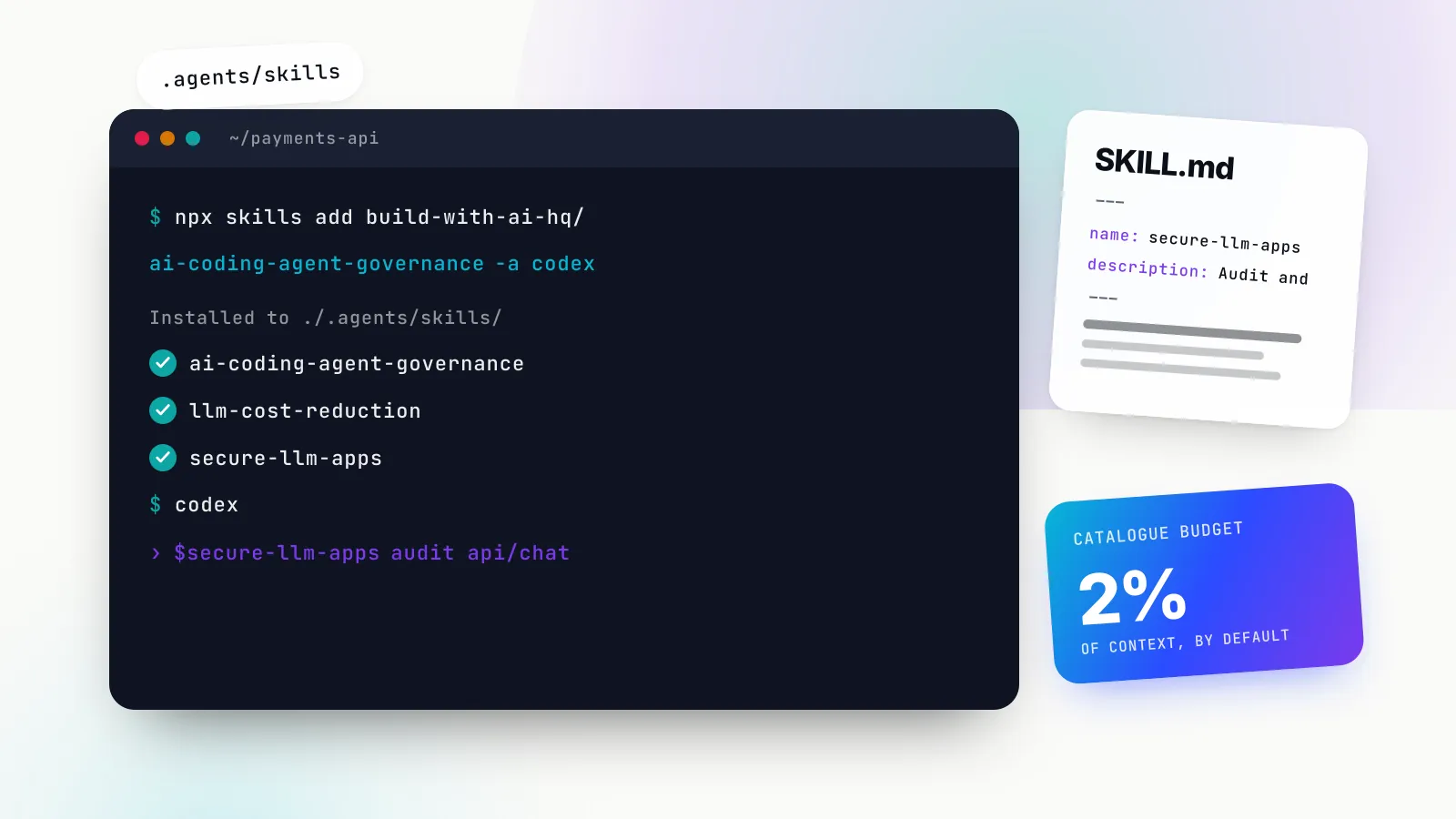
Codex skills are folders of instructions, scripts and reference files that OpenAI’s Codex loads only when a task needs them. Each one centres on a SKILL.md file with a name, a description and Markdown instructions, in the same open Agent Skills format that Claude Code, Cursor and GitHub Copilot read. Codex discovers them from fixed folders, lists them by description, and pulls in the full instructions when you type $skill-name or when your request matches what the skill says it is for.
This matters because a skill is the cheapest way to make Codex follow a procedure it would otherwise improvise: how your team rolls out a gateway, how to audit an LLM feature for prompt injection, how to cut token spend without breaking quality. It is also a supply-chain decision, because a skill can tell Codex to run code with your permissions.
This guide is for developers and platform teams using Codex in the CLI, the IDE extension or the app. It covers where Codex finds skills as of October 2026, how invocation works, how skills differ from AGENTS.md, how to add skills to Codex with the skills CLI, what we saw when we tested that install, and which skills are worth installing if you build or run AI systems. For the format itself and how it works across Claude’s surfaces, see our companion piece, Claude Skills explained.
Install Codex skills in one command
If you already know what you want, the fastest route is the open-source skills CLI from Vercel Labs, with Codex as the target agent. The agent id is codex, per the CLI’s supported agents table, and the project install lands in .agents/skills/, which is where Codex looks.
# The three we recommend most for Codex users building AI systems
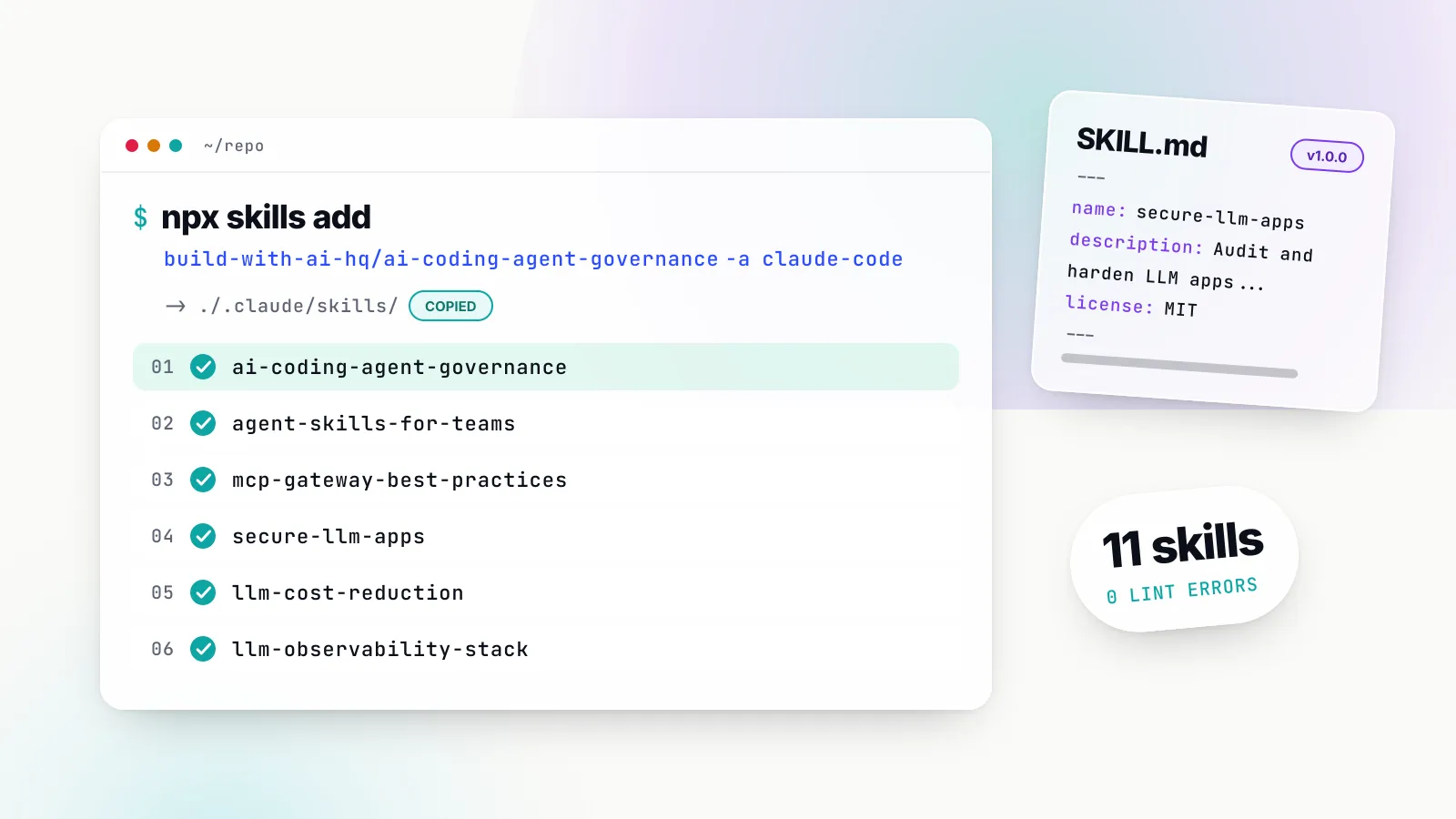
npx skills add build-with-ai-hq/ai-coding-agent-governance -a codex
npx skills add build-with-ai-hq/llm-cost-reduction -a codex
npx skills add build-with-ai-hq/secure-llm-apps -a codex

# The other three in the set
npx skills add build-with-ai-hq/llm-observability-stack -a codex
npx skills add build-with-ai-hq/mcp-gateway-best-practices -a codex
npx skills add build-with-ai-hq/agent-skills-for-teams -a codex
Add -g to install for your user rather than the current project, and -y to skip the confirmation prompts. The rest of this guide explains what those commands do, what Codex does with the result, and what each skill is for.
What Codex skills are, and what they are not
A Codex skill is a directory whose required file, SKILL.md, carries YAML frontmatter and instructions. OpenAI’s Build skills guide gives the minimum:
---
name: skill-name
description: Explain exactly when this skill should and should not trigger.
---

Skill instructions for ChatGPT or Codex to follow.
The format is the Agent Skills specification published at agentskills.io. Two fields are required. name is at most 64 characters of lowercase letters, numbers and hyphens. description is at most 1,024 characters and has to say what the skill does and when to use it. Optional folders hold scripts/, references/ and assets/, which the agent opens only when the instructions point to them. The spec recommends keeping the body under 5,000 tokens and the file under 500 lines, so that detail moves into reference files.
Codex adds one optional extension: an agents/openai.yaml file inside the skill folder. According to OpenAI’s optional metadata section, it sets display names, icons and a default prompt for the app, an invocation policy, and tool dependencies such as an MCP server the skill expects. A skill written for Claude Code works in Codex without the file; it simply lacks the Codex-specific polish.
What a skill is not: a fine-tune, a tool definition or a binary plugin. Nothing about the model changes. Codex reads the files with its normal file and shell tools, which is why the same folder works across agents built on different models. It is also not a replacement for an MCP server. An MCP server gives Codex access to a system; a skill tells it how to do a job, which may include how to use those MCP tools well.
Where Codex runs skills: CLI, IDE extension and app
Skills work across the Codex surfaces. OpenAI’s guide says that in the Codex CLI or the IDE extension you run /skills or type $ to mention one, and that in ChatGPT you type @ to select a skill. The CLI and the desktop app read the same Codex configuration, according to Bifrost’s Codex guide, so configuration set up for one generally applies to the other. Codex also ships system skills, including $skill-creator and a planning skill, that are available to everyone from the first session.
Where Codex looks for skills
Codex reads skills from four kinds of location, documented in the Where Codex loads local skills table. As of October 2026:
| Scope | Location | Use it for |
|---|---|---|
| Repo | $CWD/.agents/skills | Skills for one module or microservice |
| Repo | .agents/skills in each parent folder up to the root | Skills for a shared area of a monorepo |
| Repo | $REPO_ROOT/.agents/skills | Skills for everyone working in the repository |
| User | $HOME/.agents/skills | Your personal skills, across all repositories |
| Admin | /etc/codex/skills | Machine or container defaults, automation, SDK scripts |
| System | Bundled with Codex | OpenAI’s built-ins such as skill-creator |
Four details in that documentation trip people up.
First, Codex walks upward. It scans .agents/skills in every directory from where you launched Codex up to the repository root, so a skill in services/payments/.agents/skills is visible only when you start Codex inside that service, while a root skill is visible everywhere in the repository.
Second, names do not merge. If two locations hold a skill with the same name, Codex does not combine them; both can appear in the selector. A personal copy of a team skill therefore sits beside the team version rather than replacing it, which is a common source of “why is it following the old instructions” confusion.
Third, symlinks work. Codex follows a symlinked skill folder to its target, which lets a team keep one canonical checkout of a skills repository and link it into several projects.
Fourth, the folder is .agents, not .codex. Codex keeps its configuration in ~/.codex/config.toml, but its documented skill locations use the vendor-neutral .agents/skills path that Cursor, Gemini CLI, GitHub Copilot and OpenCode also read. If you are following an older tutorial, check the path against the current table before debugging anything else.
Codex detects new and changed skills automatically, according to the guide, and suggests restarting if one does not appear.
Turning a skill off without deleting it
To disable a skill while keeping the files, add a [[skills.config]] entry to ~/.codex/config.toml, as shown in the enable or disable section:
[[skills.config]]
path = "/path/to/skill/SKILL.md"
enabled = false
Restart Codex after editing config.toml. This is useful when a repository ships a skill you do not want triggering implicitly in your sessions, or when two skills overlap and you want to test one at a time.
How Codex decides to use a skill
Codex has two ways into a skill, described in How ChatGPT and Codex use skills.
Explicit invocation. Type $ and the skill name in your prompt, for example $secure-llm-apps audit the chat endpoint in api/, or run /skills to pick from a list. This always works, even for skills that opt out of implicit use.
Implicit invocation. Codex keeps a catalogue of installed skills, each represented by its name and description, and can choose a skill on its own when your task matches. Nothing else about the skill is read until then.
That catalogue has a budget. The Codex configuration reference documents skills.max_context_tokens as the “token budget for the available-skills catalog”, defaulting to 2% of the model’s context window, with explicit values capped at 10,000 tokens. On a 400,000-token window that default is 8,000 tokens. The practical effect is that a large pile of installed skills competes for a fixed slice of context, and OpenAI’s guide advises front-loading the key use case and trigger words so a skill can still be matched “if descriptions are shortened”.
A skill author can switch implicit use off. Setting allow_implicit_invocation: false under policy in agents/openai.yaml means Codex will not pick the skill on its own, while $skill still works. That is the right setting for skills with side effects, such as one that provisions keys or deploys something, where you want a human to ask for it by name.
Once a skill is chosen, Codex reads the SKILL.md body. Any references/ file or scripts/ entry is opened only when the instructions call for it, which is the progressive disclosure the spec describes. Running a bundled script goes through Codex’s normal approval flow; the configuration reference lists a skill_approval flag under the granular approval policy that controls whether “skill-script approval prompts” can surface.
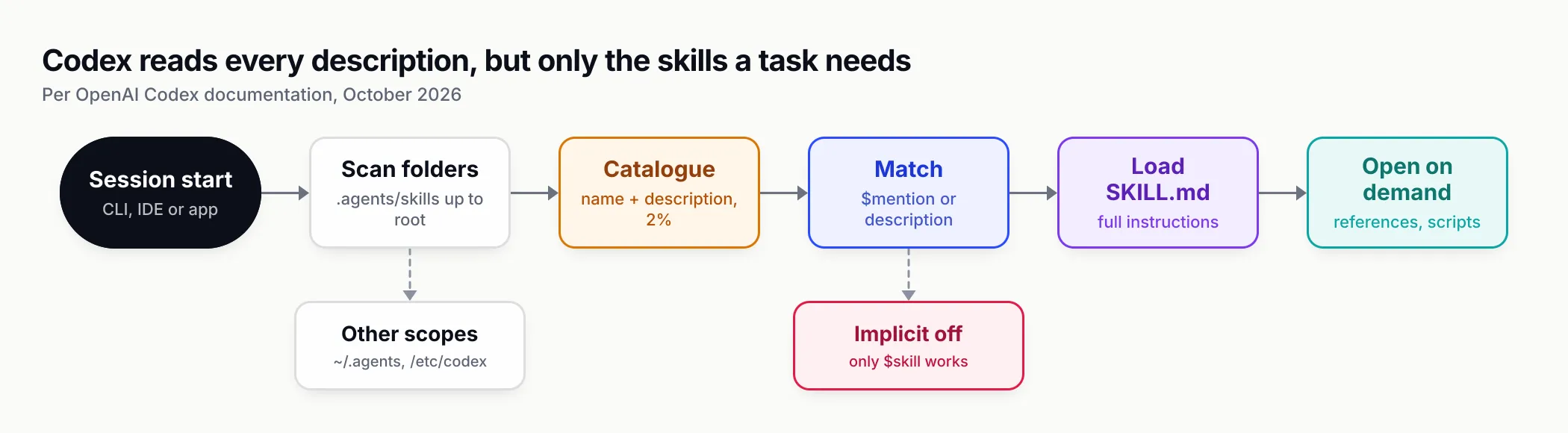
Figure 1: Codex pays for every installed skill’s description, but only for the full instructions of the skills a task actually uses.
Codex skills vs AGENTS.md
The top question in the search results for “codex skills” is whether skills need to be listed in AGENTS.md for Codex to use them. They do not, and the two files solve different problems.
AGENTS.md is standing guidance. OpenAI’s AGENTS.md guide says Codex reads it before doing any work: a global file in ~/.codex (or AGENTS.override.md if present), then one file per directory from the project root down to your working directory, concatenated with later files taking precedence. Codex stops adding files once the combined size reaches project_doc_max_bytes, 32 KiB by default.
A skill is a procedure on demand. Its description sits in the catalogue every session; its body is read only when needed.
| AGENTS.md | Codex skill | |
|---|---|---|
| When it loads | Every session, before any work | Description always; body only when invoked or matched |
| Size limit | 32 KiB combined by default (project_doc_max_bytes) | Catalogue budget 2% of context; body under 5,000 tokens recommended by the spec |
| Scope | Global, then each directory from root to working directory | Repo folders from working directory to root, user, admin, system |
| Can bundle code | No, text only | Yes, scripts/, references/, assets/ |
| Portable to other agents | Read by several agents; Claude Code uses CLAUDE.md | Same folder works in Claude Code, Cursor, Copilot, Gemini CLI |
| Best for | “Always do X” rules: test command, style, forbidden paths | Repeatable workflows: audits, rollouts, migrations, reviews |
A useful rule: if a sentence applies to almost every task in the repository, it belongs in AGENTS.md. If it is a sequence of steps that matters only for one kind of task, it belongs in a skill. Moving long procedures out of AGENTS.md into skills also keeps you under the 32 KiB cap, which otherwise silently truncates the lower, more specific files.
There is one case for mentioning a skill in AGENTS.md: when you want Codex to prefer it in a particular repository. A line such as “for any change to src/llm/, run $secure-llm-apps before opening a pull request” turns an optional skill into a house rule without copying its contents.
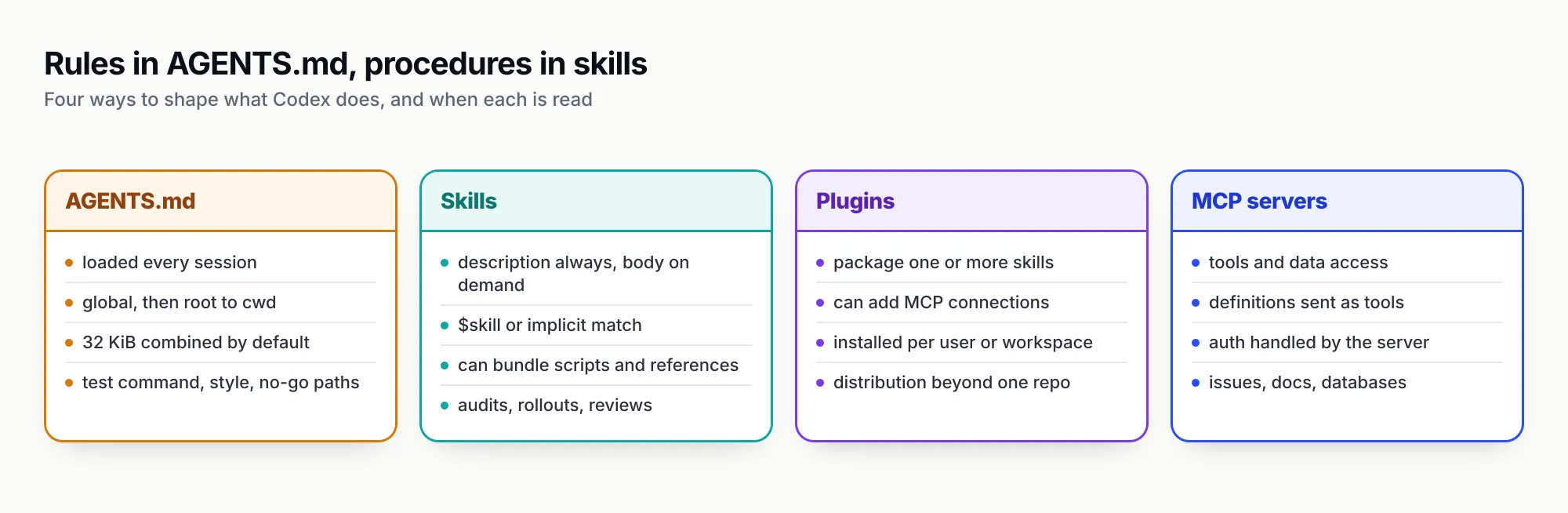
Figure 2: AGENTS.md sets standing rules, skills carry procedures, plugins distribute skills and connectors, and MCP servers provide access.
How to add skills to Codex: four routes
There are four ways to get a skill into Codex. They suit different situations, and a team will usually use more than one.
1. Write one yourself, or ask Codex to
Create .agents/skills/<name>/SKILL.md in a repository, or ~/.agents/skills/<name>/SKILL.md for yourself, with the frontmatter shown earlier. Or type $skill-creator in Codex; OpenAI’s guide says the creator asks what the skill does, when it should trigger, and whether it should stay instruction-only or include scripts, with instruction-only as the default. Keep name identical to the folder name, as the open spec requires.
2. Use the built-in installer for OpenAI’s curated skills
$skill-installer linear installs the curated Linear skill, per OpenAI’s curated skills section, and you can ask the installer to fetch skills from other repositories. One freshness note: the openai/skills GitHub catalogue that the installer originally drew on now opens with a notice that “This repository is deprecated” and points to OpenAI’s plugins repository for current examples.
3. Use the skills CLI with -a codex
The skills CLI from Vercel Labs installs skills from any GitHub repository into one or more agents. The flags we verified against npx skills add --help on version 1.7.4:
npx skills add <owner/repo> --list          # see what a repository offers, install nothing
npx skills add <owner/repo> -a codex        # project install into .agents/skills
npx skills add <owner/repo> -g -a codex     # user install into ~/.agents/skills
npx skills add <owner/repo> -s <skill> -a codex -y   # one named skill, no prompts
npx skills add <owner/repo> -a codex --copy # copy files rather than symlink
npx skills list                             # what is installed, and for which agents
npx skills update                           # pull newer versions deliberately
npx skills remove <skill>                   # uninstall
The -a flag accepts several agents at once (-a codex claude-code cursor), which is how one install serves a team that uses more than one agent. Global paths come from the CLI’s agents table: for Codex, ~/.agents/skills/. The CLI collects anonymous usage data by default; its README says DISABLE_TELEMETRY=1 or DO_NOT_TRACK=1 turns that off.
4. Package skills as a plugin
For distribution beyond one repository, OpenAI’s guide recommends plugins. A plugin can carry one or more skills plus MCP server connections and presentation assets, and Codex’s CLI has a codex plugin command to manage them. Teams that want a private catalogue with versioning can host one: Bifrost’s open-source Skills Repository publishes immutable SemVer versions of skills and serves them to Codex as a marketplace you register with codex plugin marketplace add <your-bifrost-url>/api/skills/serve/codex.
How we tested
On 28 October 2026 we ran the recommended installs in a fresh, empty git repository under a scratch directory on macOS, with telemetry disabled (DISABLE_TELEMETRY=1 DO_NOT_TRACK=1). The skills CLI reported version 1.7.4. We fetched the Codex CLI with npx @openai/codex to check its command list and version (it reported codex-cli 0.165.0), but we did not sign in or run a Codex session, so what follows is about installation and file layout, not about how Codex behaved with the skills loaded.
The commands:
DISABLE_TELEMETRY=1 DO_NOT_TRACK=1 npx -y skills add build-with-ai-hq/ai-coding-agent-governance -a codex -y
DISABLE_TELEMETRY=1 DO_NOT_TRACK=1 npx -y skills add build-with-ai-hq/llm-cost-reduction -a codex -y
DISABLE_TELEMETRY=1 DO_NOT_TRACK=1 npx -y skills add build-with-ai-hq/secure-llm-apps -a codex -y
npx -y skills list
What we observed:
-
Files landed in
.agents/skills/<name>/, the exact path Codex scans at the repository root. The installer’s summary readcopy → Codexfor each skill and ended with “Review skills before use; they run with full agent permissions.” -
Each skill arrived whole:
SKILL.md,README.md,LICENSE, areferences/folder with three or four Markdown files, andassets/with banner images. -
A
skills-lock.jsonappeared at the project root, recording each skill’s source repository, its path and a SHA-256computedHash. Commit that file and a teammate’s install can be checked against the version you reviewed. -
npx skills listreported more agents than we asked for. For each skill it listed “Antigravity, Codex, Cursor, Gemini CLI, OpenCode”, because all of them read.agents/skills. An install aimed at Codex is therefore visible to those agents in the same repository, which is convenient for mixed teams and worth knowing if you want a skill to stay Codex-only. -
The skills pass a structural lint. We ran the
scripts/lint_skills.pychecker bundled with the agent-skills-for-teams skill against the three installed folders. It exited 0 with no errors: names, descriptions and folder layout all match the Agent Skills specification. -
Multi-agent installs use one copy. Installing llm-observability-stack with
-a codex claude-code -yput the files once in.agents/skills/llm-observability-stackand created.claude/skills/llm-observability-stackas a symlink to it, so Codex and Claude Code read the same folder and an update changes both. -
--listinstalls nothing. Runningnpx skills add build-with-ai-hq/llm-observability-stack --listprinted the skill name and full description and ended with “Use —skillto install specific skills”.
We did not test the -g global install, to avoid writing into the test machine’s home directory; the global path above comes from the CLI’s own documentation.
The skills worth installing for Codex users building AI systems
The set below is narrower than a general list of Codex skills: it is for developers using Codex to build or run software that itself calls language models, and for the platform teams governing Codex across an engineering group. All six are published by the GitHub organisation build-with-ai-hq, MIT-licensed, at version 1.0.0, and all use Bifrost, Maxim AI’s open-source AI gateway, as the gateway-level control point in their examples.
| Skill | What it gets Codex to do | Install |
|---|---|---|
| ai-coding-agent-governance | Audit and roll out coding agents with per-developer keys, budgets, model and MCP allow-lists | npx skills add build-with-ai-hq/ai-coding-agent-governance |
| llm-cost-reduction | Measure cost per feature, right-size models, cache, cap loops, set budgets | npx skills add build-with-ai-hq/llm-cost-reduction |
| secure-llm-apps | Find and fix leaked keys, prompt-injection paths, over-broad tools, PII leaks | npx skills add build-with-ai-hq/secure-llm-apps |
| llm-observability-stack | Instrument LLM calls with OpenTelemetry GenAI conventions, dashboards and alerts | npx skills add build-with-ai-hq/llm-observability-stack |
| mcp-gateway-best-practices | Cut MCP tool sprawl, scope tools per identity, add approval and logging | npx skills add build-with-ai-hq/mcp-gateway-best-practices |
| agent-skills-for-teams | Write skills that trigger, version and review them, roll them out and back | npx skills add build-with-ai-hq/agent-skills-for-teams |
Append -a codex to target Codex only, or list several agents after -a. Each skill has a listing on skills.sh as well as its GitHub repository.
ai-coding-agent-governance: Codex across a team, with budgets
Install: npx skills add build-with-ai-hq/ai-coding-agent-governance -a codex. Repository: github.com/build-with-ai-hq/ai-coding-agent-governance. Listing: skills.sh/build-with-ai-hq/ai-coding-agent-governance.
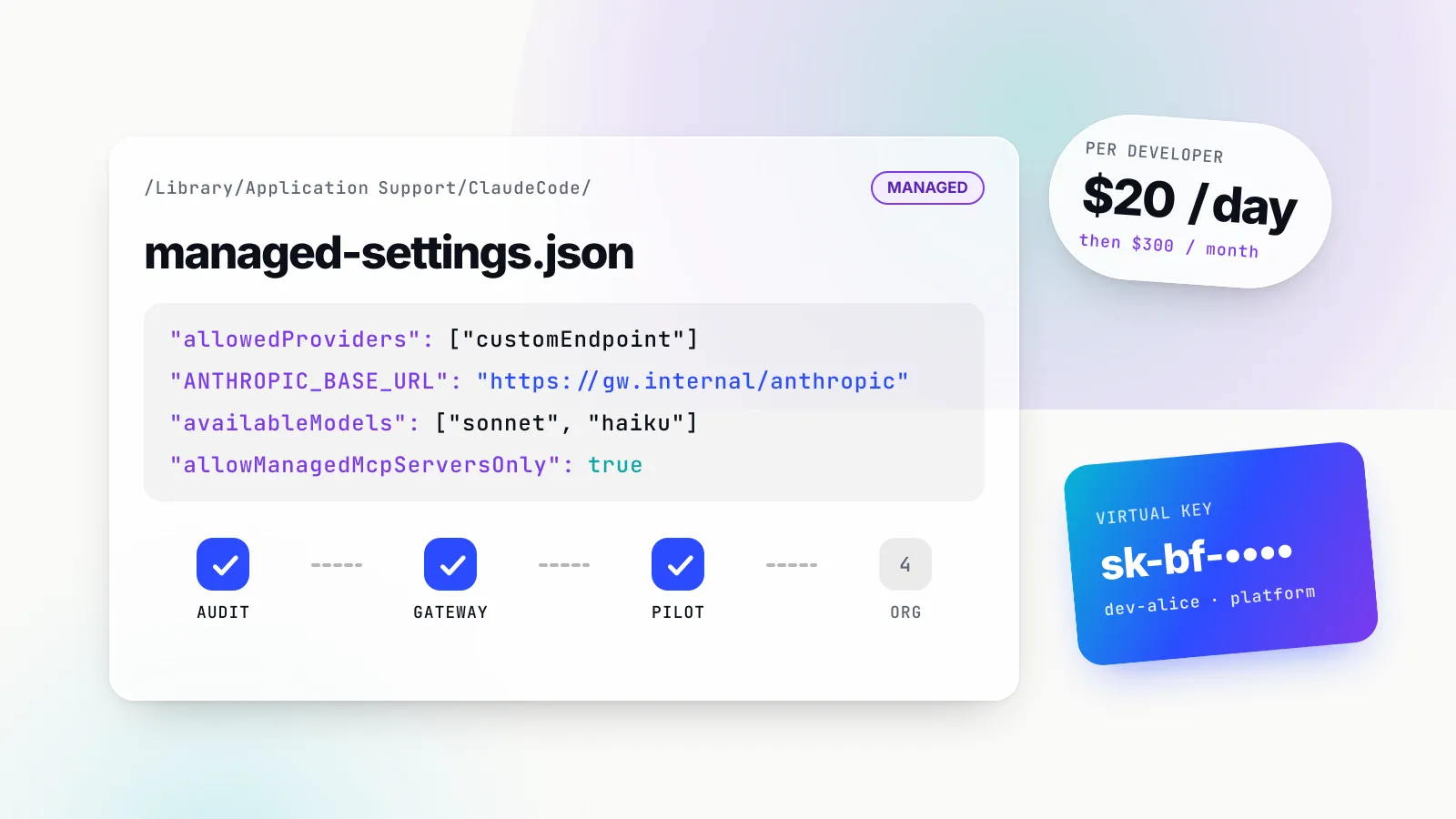
This is the skill to install if you are the person rolling Codex out to other people. Its description lists the triggers it is written for, including “we got a surprise AI bill”, “developers share one Anthropic/OpenAI key” and “run coding agents in CI with a budget”. Invoked with $ai-coding-agent-governance, it starts with audit commands: grepping shell profiles and repositories for raw provider keys, reading each agent’s config file including ~/.codex/config.toml, and listing MCP servers. It then works through an ordered rollout: a one-page policy, one gateway in front of every agent, one virtual key per developer and per CI pipeline, exact per-agent configuration, managed settings, central MCP control, data handling, logging and adoption metrics.
The part that matters most for Codex is references/per-tool-setup.md, which carries a Codex section with the pitfalls that cause most failed rollouts. Run /logout first if the developer ever signed in with an OpenAI account, because an existing OAuth session takes precedence over custom credentials. Use a named [model_providers] entry rather than only OPENAI_BASE_URL. Keep the trailing /v1 on the base URL. Select models at launch with codex --model, because the in-session /model picker uses Codex’s own catalogue. Its CI guidance gives each pipeline its own key, a small daily budget and an expiry, and runs codex exec with the same provider config.
What it does not do: it does not deploy the gateway for you, choose your approved models, or manage devices. It writes the plan, the configs and the verification steps; your MDM and your policy owners still have to ship them.
llm-cost-reduction: when the thing Codex is building costs too much to run
Install: npx skills add build-with-ai-hq/llm-cost-reduction -a codex. Repository: github.com/build-with-ai-hq/llm-cost-reduction. Listing: skills.sh/build-with-ai-hq/llm-cost-reduction.
This skill is about the application Codex is working on, not Codex’s own bill. It frames LLM cost as requests multiplied by input and output tokens at their prices, and orders the work as “measure, then fix the biggest line item, then verify quality did not drop”. Its quick diagnosis is a set of grep commands Codex can run from the repository root to find every LLM call site and the models used, calls without an output limit, agent loops without a cap, retry wrappers, missing usage logging, prompt-cache killers such as timestamps at the top of system prompts, and embeddings recomputed on every run.
The fixes come with Python and TypeScript code: a wrapper that logs feature, model and token usage on every call; an eval-first process for moving call sites to smaller models; loop caps on iterations, tokens and wall time; prompt trimming; provider prompt caching with stable prefixes; exact and semantic response caching; batch APIs for offline work; and embedding reuse. The gateway section covers per-request complexity routing, response caching, session affinity for prompt-cache hits, and per-team budgets with cost attribution headers.
What it does not do: it does not know your provider’s current prices or your quality bar. It tells Codex to build an eval set before switching models, and it is explicit that model IDs in its examples are placeholders.
secure-llm-apps: a security review Codex can run on an AI feature
Install: npx skills add build-with-ai-hq/secure-llm-apps -a codex. Repository: github.com/build-with-ai-hq/secure-llm-apps. Listing: skills.sh/build-with-ai-hq/secure-llm-apps.
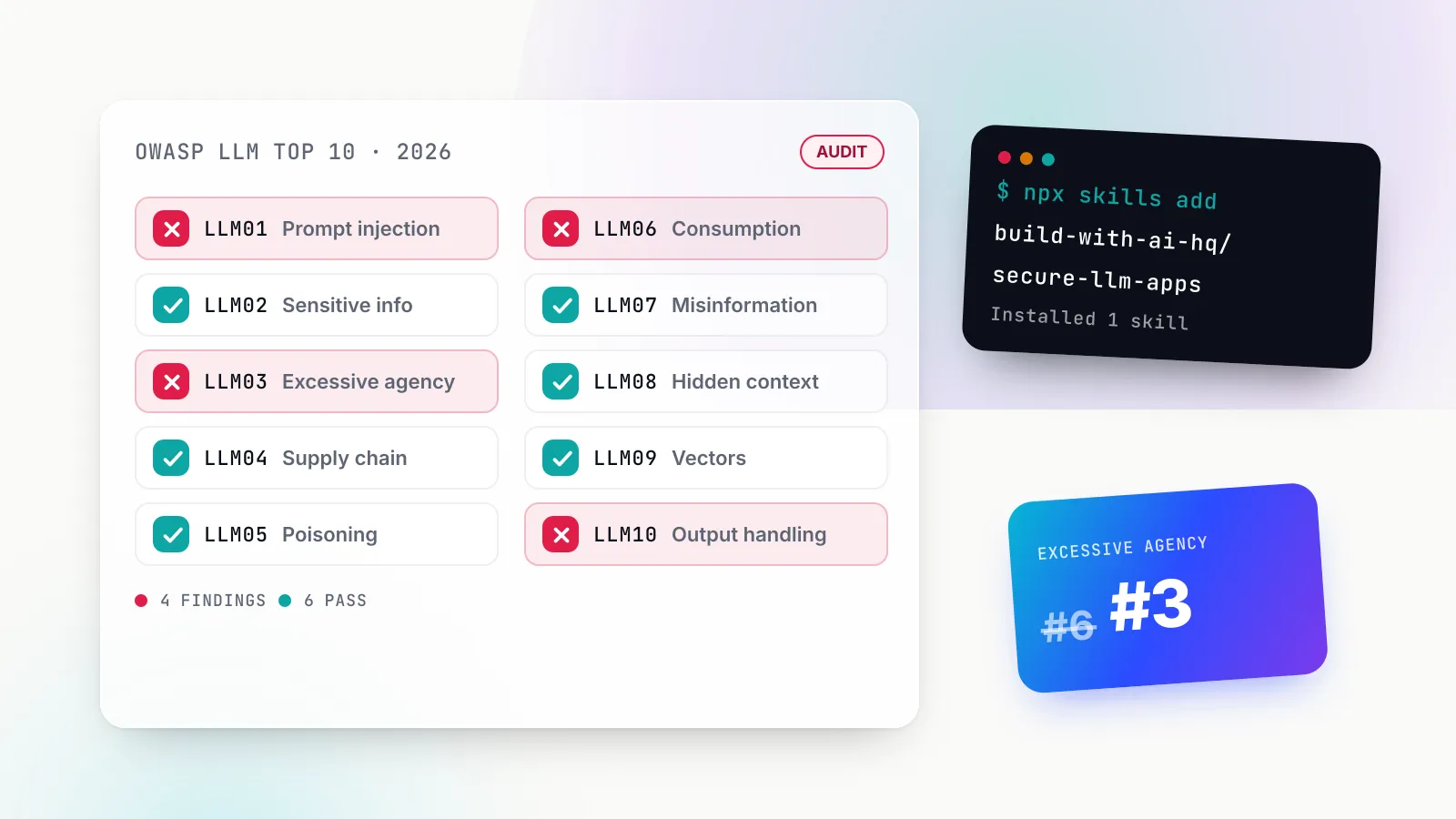
This one starts from a stance worth adopting whatever tool you use: “The model is not a security boundary.” Its audit greps for provider keys in frontend bundles and public environment variables, dangerouslyAllowBrowser, LLM output flowing into innerHTML, eval, shell calls or string-built SQL, tool definitions, missing token caps, and prompts written to logs. It then asks four questions that set priority: where the credential lives, what untrusted text reaches the prompt, what the model can cause to happen, and what limits exist per user and tenant.
The core practices run in order of impact: keep provider keys on the server, treat retrieved, tool and web content as untrusted, give tools least privilege with human approval for destructive actions, validate structured output and encode at every sink, keep PII and secrets out of provider requests, bound consumption, and keep logs clean. The references hold injection test payloads, PII handling and a checklist mapped to the OWASP LLM Top 10. For background on why injected instructions in documents work at all, our prompt injection examples and defences piece goes deeper.
What it does not do: it is a review and hardening guide, not a scanner or a runtime filter. It tells Codex what to look for and how to fix it; it does not certify an app as secure.
The other three: observability, MCP and managing skills themselves
llm-observability-stack (GitHub, skills.sh) sets up production telemetry for LLM apps and agents: a fixed record per call (model, provider, tokens, cost, latency including time to first token, errors, tool calls, user, session and feature), OpenTelemetry GenAI semantic conventions, agent runs traced as one trace, sampling and redaction, Prometheus dashboards and alert thresholds, and linking traces to user feedback. Install with npx skills add build-with-ai-hq/llm-observability-stack -a codex.
mcp-gateway-best-practices (GitHub, skills.sh) is for Codex users whose MCP setup has grown: tool sprawl, context bloat from tool definitions, missing per-user permissions, credentials scattered across laptops, destructive tools without approval, and injection through tool results. It covers topology choice, tool budgets, tool naming, least privilege, transports and logging. Install with npx skills add build-with-ai-hq/mcp-gateway-best-practices -a codex.
agent-skills-for-teams (GitHub, skills.sh) is the skill about skills: writing descriptions that trigger, keeping bodies lean, versioning with SemVer, reviewing scripts for security, and installing one source of truth into Codex, Claude Code and Cursor with the skills CLI. It bundles the lint_skills.py checker we used above. Install with npx skills add build-with-ai-hq/agent-skills-for-teams -a codex.
Running Codex through a gateway for per-developer budgets
A Codex rollout without a gateway usually ends in one of two places: everyone signs in with their own ChatGPT account and there is no central view of models or spend, or a shared API key ends up in .env files and CI secrets with no attribution. The governance skill’s answer, and a common pattern for platform teams, is to put one gateway in front of Codex and give each developer their own key on it. We compared the options for this in the top AI gateways for Claude Code, Codex CLI and Cursor; this section shows the Codex side with Bifrost, which is what the skill uses.
Manual configuration with a virtual key
Bifrost’s Codex CLI guide configures Codex through a named provider in ~/.codex/config.toml:
model = "openai/gpt-5"
model_provider = "bifrost"

[model_providers.bifrost]
name = "Bifrost"
base_url = "https://bifrost.internal.example.com/openai/v1"
wire_api = "responses"
env_key = "OPENAI_API_KEY"
requires_openai_auth = false
supports_websockets = false
export OPENAI_API_KEY="sk-bf-your-virtual-key"
codex --model openai/gpt-5Each line is there for a reason the docs spell out. The trailing /v1 is required because Codex appends /responses. A named model_providers entry is required because setting only OPENAI_BASE_URL can leave Codex on its built-in provider, where an OpenAI OAuth session takes precedence; run /logout first. supports_websockets = false keeps requests on HTTP so the gateway can translate them for providers that do not implement OpenAI’s WebSocket protocol. The governance skill adds a practical tweak: set env_key to a dedicated name such as BIFROST_API_KEY so the virtual key does not clobber a developer’s personal OPENAI_API_KEY.
Issuing the per-developer key
The budget lives on the key. The governance skill provisions one virtual key per developer with a daily and a monthly cap, a request rate limit and a model allow-list:
curl -s -u "$BF_ADMIN:$BF_PASS" -X POST https://bifrost.internal.example.com/api/governance/virtual-keys \
  -H "Content-Type: application/json" \
  -d '{
    "name": "dev-alice",
    "metadata": {"owner": "alice@example.com", "team": "platform"},
    "provider_configs": [
      {"provider": "openai", "allowed_models": ["gpt-5"], "key_ids": ["*"], "weight": 1.0}
    ],
    "budgets": [{"max_limit": 20.00, "reset_duration": "1d"}, {"max_limit": 300.00, "reset_duration": "1M"}],
    "rate_limit": {"request_max_limit": 120, "request_reset_duration": "1m"},
    "is_active": true
  }' | jq -r '.virtual_key.value'
Bifrost’s virtual keys documentation makes provider access deny-by-default: when “allow all providers” is off, only providers listed in provider_configs are allowed. The skill’s advice on sizing is to start generous, then after two weeks set per-developer limits around the 90th percentile of observed daily spend rather than a guess, and to pair a daily cap with the monthly one so a runaway loop cannot spend the month in an afternoon. The metadata on the key is copied onto every log entry, which is where per-developer and per-team cost reports come from.
The launcher, and keeping a ChatGPT sign-in
Two alternatives avoid hand-editing config.toml. The Bifrost CLI’s bifrost run codex --model openai/gpt-5 is the recommended route in the docs: it creates an isolated temporary CODEX_HOME, copies the user’s config.toml to keep MCP servers and trust settings, and swaps in the gateway provider for that process only.
For teams on a ChatGPT workspace, Bifrost documents a sign-in-with-ChatGPT path: Codex keeps the ChatGPT token in Authorization, the virtual key travels in an x-bf-vk header, and the ChatGPT seat pays for the tokens. The key’s model allow-list, budgets and rate limits still apply, but Bifrost routing, fallbacks and non-OpenAI models do not on that path. A third option, signing in with your own identity provider instead of a virtual key, is listed as a Bifrost Enterprise feature; advanced controls such as that come with the enterprise tier.
One quieter benefit: Codex sends a session header on every request, and Bifrost’s session affinity keeps a session on the provider and key that served it, so each turn keeps hitting the same prompt cache with nothing to configure. For the wider argument about putting this layer in front of every model call, not just Codex, Maxim describes the pattern on its LLM gateway page.
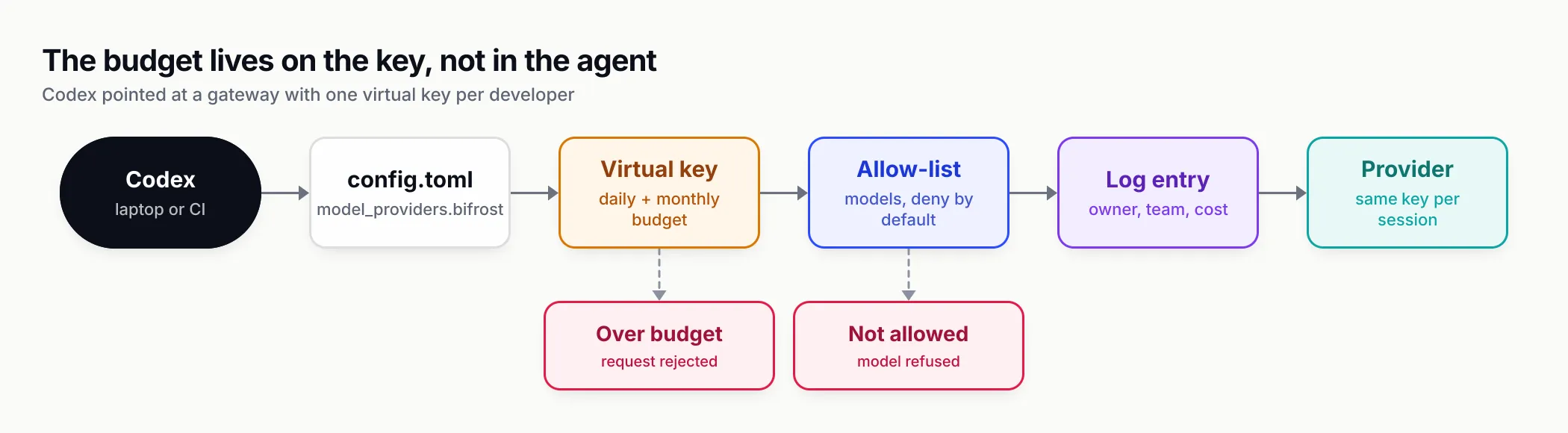
Figure 3: The budget and the allow-list live on each developer’s key, so Codex configuration only has to point at the gateway.
Vetting a third-party skill before Codex runs it
The skills CLI ends every install with a warning that skills “run with full agent permissions”, and it means it. A skill’s instructions can tell Codex to run commands, and its scripts run with your user’s access to the file system, network and credentials. OWASP’s Agentic Skills Top 10 puts malicious skills first on its list.
A short review routine covers most of the risk:
- Read before installing. Run
npx skills add <owner/repo> --list, then readSKILL.mdand every file inscripts/on GitHub. Look for network calls, writes outside the repository, reads of~/.ssh,.envor cloud credential files, and instructions to disable approvals. - Pin what you reviewed. Commit
skills-lock.json. Its hash lets you detect a changed skill on the nextnpx skills updatebefore Codex reads it. - Keep script approvals on. Do not set Codex’s approval policy to skip
skill_approvalprompts on shared machines or in CI. - Make side-effecting skills explicit-only. For your own skills, set
allow_implicit_invocation: falseinagents/openai.yamlon anything that deploys, provisions or deletes. - Put the hard limits outside the skill. Instructions can be ignored or injected; a gateway key’s budget and model allow-list cannot be talked out of. That is the reason the governance skill pairs Codex with per-developer keys rather than relying on the agent to behave.
The six skills above are text and shell examples with one Python script among them, the linter in agent-skills-for-teams. That is easy to review in an afternoon, and it is the standard to hold any skill to before it goes into a shared repository.
What to do next
If you use Codex on your own, install one skill that matches work you do this week, invoke it explicitly with $ a few times, and read what it makes Codex do before you let it trigger implicitly. Keep your AGENTS.md to standing rules and move procedures into skills.
If you run Codex for a team, the order that works is:
- Run
npx skills add build-with-ai-hq/ai-coding-agent-governance -a codexin your platform repository and invoke$ai-coding-agent-governanceto audit current Codex configs, keys and MCP servers. - Put a gateway in front of Codex with one virtual key per developer and per pipeline, each with a daily and monthly budget.
- Add
llm-cost-reductionandsecure-llm-appsto the repositories where your team builds LLM features, so Codex can audit cost and security as part of normal work. - Commit
skills-lock.json, decide which skills are explicit-only, and choose whether repo folders or a plugin marketplace is your distribution channel. - Re-check OpenAI’s skills and configuration pages each quarter. The curated catalogue has already moved from
openai/skillsto plugins, and configuration keys change between releases.
If you are choosing between agents in the first place, our Codex vs Claude Code comparison covers models, sandboxes and pricing. The skills themselves will move with you either way: the same folders work in both.
Sources
- Build skills (Codex and ChatGPT) OpenAI
- Custom instructions with AGENTS.md OpenAI
- Codex configuration reference OpenAI
- Plugins OpenAI
- openai/skills repository (deprecated catalogue) OpenAI
- Agent Skills specification agentskills.io
- skills CLI README Vercel Labs
- skills CLI supported agents table Vercel Labs
- Bifrost with Codex CLI Maxim AI
- Bifrost virtual keys Maxim AI
- Bifrost session affinity Maxim AI
- Bifrost Skills Repository Maxim AI
- AST01: Malicious Skills (OWASP Agentic Skills Top 10) OWASP Foundation
- ai-coding-agent-governance skill build-with-ai-hq
- llm-cost-reduction skill build-with-ai-hq
- secure-llm-apps skill build-with-ai-hq
Frequently asked questions
What are Codex skills?
Codex skills are folders containing a SKILL.md file with a name, a description and instructions, plus optional scripts, references and assets. Codex sees only the name and description until a task needs the skill, then reads the full instructions. They follow the open Agent Skills format, so most skills written for Claude Code or Cursor also work in Codex.
Where does Codex look for skills?
OpenAI's documentation lists .agents/skills in every directory from the current working directory up to the repository root, then $HOME/.agents/skills for personal skills, /etc/codex/skills for machine-wide admin skills, and the system skills bundled with Codex. Symlinked skill folders are followed.
How do I add skills to Codex?
Create a folder with a SKILL.md file in .agents/skills or ~/.agents/skills, ask Codex to build one with $skill-creator, install a curated one with $skill-installer, or run npx skills add owner/repo -a codex, which copies the skill into .agents/skills. Teams distributing several skills should package them as a Codex plugin.
Do skills need to be mentioned in AGENTS.md for Codex to use them?
No. Codex builds its own catalogue of installed skills from their names and descriptions and can pick one implicitly when a task matches. AGENTS.md is for standing instructions that apply to every task. Mentioning a skill in AGENTS.md is only useful if you want to nudge Codex towards it in a particular repository.
How do I use a skill in Codex?
In the Codex CLI or IDE extension, type $ and the skill name, or run /skills to pick from the list. Codex can also invoke a skill on its own when your request matches the description, unless the skill's agents/openai.yaml sets allow_implicit_invocation to false.
How do I disable a Codex skill without deleting it?
Add a [[skills.config]] entry to ~/.codex/config.toml with the path to the skill's SKILL.md and enabled = false, then restart Codex. The setting is documented in OpenAI's Codex skills guide and configuration reference.
Are third-party Codex skills safe?
Treat them like any code you install. A skill can tell Codex to run commands and can bundle scripts that run with your permissions. Read SKILL.md and every script before use, pin the version you reviewed, and keep Codex's approval prompts for skill scripts switched on.