ToolsExplainer
Cursor skills: how Agent Skills work in Cursor, and the six worth installing
How Cursor skills work as of October 2026: where SKILL.md folders live, how the agent picks one, rules vs skills vs MCP, and how to install skills with npx skills add.
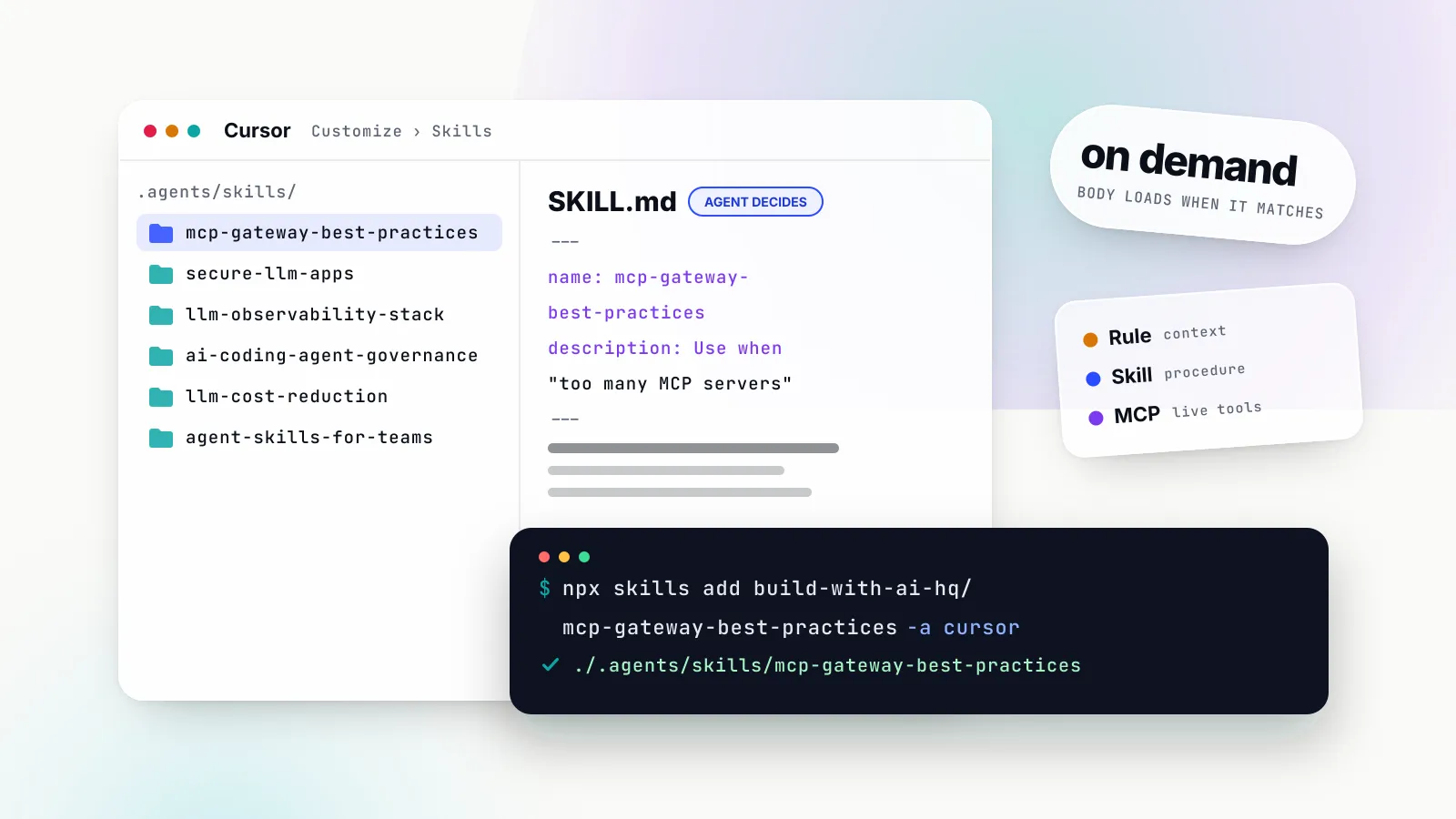
Cursor skills are folders of instructions, scripts and reference files that Cursor’s agent loads only when a task needs them. Each one is built around a SKILL.md file in the open Agent Skills format, the same format Claude Code, Codex and Gemini CLI read. Cursor added skills to the editor and CLI in version 2.4 on 22 January 2026, and by October 2026 they sit alongside rules, AGENTS.md, MCP servers, hooks and plugins as one of several ways to shape what the agent does.
That overlap is the source of most confusion. People searching for “cursor skills” usually want to know three things: how a skill differs from a Cursor rule, where to put one so the agent finds it, and which skills are worth installing. This explainer answers all three, from Cursor’s own documentation and a hands-on install test, and is written for developers who use Cursor to build applications that call models, tools and MCP servers.
If you already know what skills are and want the command, this is it. Run it from the root of your project:
npx skills add build-with-ai-hq/mcp-gateway-best-practices -a cursorThe rest of the article explains what that command does, where the files land, how Cursor decides to use them, and why the six skills from the build-with-ai-hq organisation are a sensible starting set for anyone shipping AI features from Cursor. For the format itself in more depth, including how Anthropic’s surfaces run skills, see our Claude Skills explainer.
What Cursor skills are
A skill is a directory with one required file. SKILL.md starts with YAML frontmatter holding a name and a description, then gives the agent Markdown instructions for one kind of task. Optional scripts/, references/ and assets/ folders hold code the agent can run, longer documentation it can read and templates it can copy. Cursor’s documentation describes a skill as “a portable, version-controlled package that teaches agents how to perform domain-specific tasks”.
Here is the minimum Cursor accepts:
---
name: release-notes
description: Draft release notes from merged pull requests. Use when the user asks for a changelog, release notes or a summary of what shipped.
---

# Release notes

1. List PRs merged since the last tag with `gh pr list --state merged`.
2. Group them into Features, Fixes and Internal.
3. Write one line per PR in the past tense. Link the PR number.
Two rules matter for the frontmatter. The Cursor field table requires name to be lowercase letters, numbers and hyphens and to match the parent folder. description must say what the skill does and when to use it, because it is the only text the agent reads when deciding whether a skill is relevant. The open specification caps the description at 1,024 characters.
Cursor then adds fields the base spec does not have. paths takes glob patterns so a skill only surfaces when the agent is working on matching files. disable-model-invocation: true turns a skill into a manual slash command. icon and color style the badge when the skill backs a Custom Mode. metadata is a free-form map, which is where the six skills discussed below record their author and version. Cursor still accepts the legacy globs field, but its docs say new skills should use paths.
Why skills arrived after rules
Cursor already had a way to give the agent standing instructions: rules. The 2.4 changelog explains the addition in one sentence: “Compared to always-on, declarative rules, skills are better for dynamic context discovery and procedural ‘how-to’ instructions.” A rule is pasted into context. A skill is a pointer that costs a description’s worth of tokens until the agent decides it needs the contents. That difference is the whole design, and it is why a project can carry dozens of skills without slowing every request.
How the Cursor agent picks a skill
Cursor’s How skills work section states the mechanism plainly: when Cursor starts, it discovers skills from the skill directories, and “the agent is presented with available skills and decides when they are relevant based on context.” There is no keyword matcher. The model reads the list of names and descriptions and chooses, the same way it chooses a tool.
The open specification spells out the cost model behind that, under progressive disclosure. Metadata for every skill, roughly 100 tokens each, is loaded at startup. The full SKILL.md body, recommended to stay under 5,000 tokens and 500 lines, is loaded only when the skill is activated. Files in scripts/, references/ and assets/ are read only when the instructions point the agent at them. A skill’s scripts can therefore be long without costing anything, because the agent runs them and sees only their output.
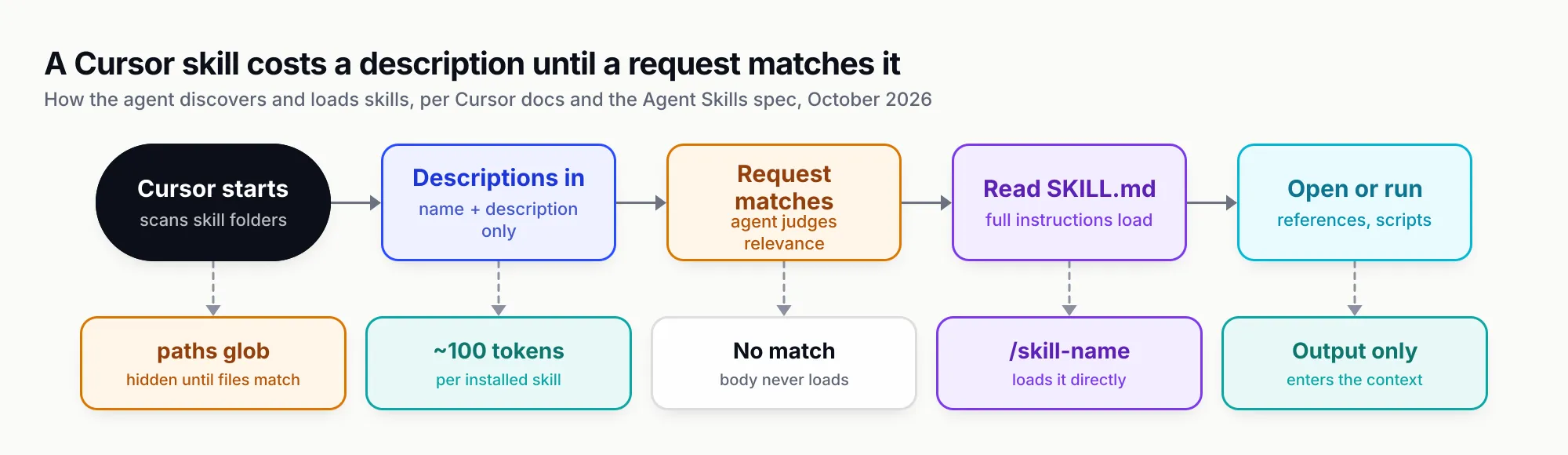
Figure 1: A Cursor skill costs a description until a request matches it; slash commands and path scoping change when that happens, not how.
Four ways to change the default
Automatic selection is the default, and Cursor gives you four controls over it.
- Slash invocation. Type
/in Agent chat and pick the skill. It attaches to that one message, whatever the model would have decided. - Custom Mode. Press Option+Enter on macOS or Alt+Enter on Windows when choosing it, and the skill stays in context for the whole session, shown as a badge in the chat input. The Custom Mode section says any skill with valid frontmatter can back one.
- Path scoping. Set
paths: ["**/*.tsx"]and the skill only appears when the agent is reading or editing matching files. A skill placed in a nested folder, such asapps/web/.cursor/skills/, is scoped to that folder automatically, which the docs describe in nested skill directories. - Manual only.
disable-model-invocation: truehides the skill from automatic selection. It then behaves like an old-style slash command: present when you type its name, absent otherwise.
Cursor also ships nineteen built-in skills managed by Cursor, including /create-skill, /create-rule, /review-security, /split-to-prs and /migrate-to-skills. They appear next to your own skills in Customize → Skills, and the agent can use some of them automatically when a request clearly matches.
When a skill does not trigger
Almost every “my skill never fires” problem is a description problem. A description that says what the skill is (“Utilities for MCP”) gives the model nothing to match against; one that names the situations and the phrases users type (“Use when someone says too many MCP servers, the agent picks the wrong tool, or restrict which tools an agent can call”) does. The six skills recommended below all follow that pattern, and their descriptions read like lists of support tickets for that reason. The other common causes are a name that does not match its folder, which breaks the spec, and frontmatter that does not parse; in Cloud Agents, Cursor shows a warning naming any skill whose frontmatter fails to parse or that has no description.
Where Cursor skills live
Cursor reads skills from a long list of folders, which is convenient and occasionally surprising. The skill directories table lists four primary locations, and a compatibility paragraph adds four more.
| Location | Scope | Notes |
|---|---|---|
.agents/skills/ | Project | The cross-agent location; where npx skills add -a cursor writes |
.cursor/skills/ | Project | Where /migrate-to-skills and /create-skill put new skills |
~/.agents/skills/ | User (global) | Local only; never copied to Cloud Agents |
~/.cursor/skills/ | User (global) | The only folder that can sync to Cloud Agents |
.claude/skills/, ~/.claude/skills/ | Project, user | Loaded for compatibility with Claude Code |
.codex/skills/, ~/.codex/skills/ | Project, user | Loaded for compatibility with Codex |
Cursor walks each root recursively, so category folders such as .cursor/skills/shipping/land-it/SKILL.md are fine; the skill’s identity comes from the folder that holds SKILL.md. It also discovers .cursor/skills/ and .agents/skills/ folders anywhere inside the repository, which lets a monorepo keep a deploy skill next to the package it deploys.
Two consequences follow. First, a repository that already has Claude Code skills in .claude/skills/ gets them in Cursor with no change, which is the practical answer to the common search “can Cursor use Claude skills”. Second, if you install the same skill for several agents, you can end up with copies in more than one folder that Cursor scans. Open Customize → Skills after installing and check that each skill appears once.
Skills in Cloud Agents and on self-hosted workers
Personal skills normally stay on your machine. Turning on Sync Skills for Cloud Agents under Settings → Agents moves the contents of ~/.cursor/skills/ into synced storage, private to you, so Cloud Agents you start can use them. The Cloud Agents section is specific about the limits: only ~/.cursor/skills/ syncs, automation runs do not load synced skills even when set to run as you, and self-hosted workers need skills committed to the repository or baked into the worker image. On Teams and Enterprise plans an admin can switch sync off for everyone.
The practical rule: a skill the whole team and every automation should use belongs in the repository, in .agents/skills/ or .cursor/skills/, reviewed like code.
Cursor rules vs skills vs AGENTS.md vs MCP
The question behind the “cursor rules vs skills” searches is really which mechanism to reach for. Cursor’s documentation answers it piece by piece; here it is in one table.
| Project rules | AGENTS.md | Skills | MCP servers | |
|---|---|---|---|---|
| What it is | .mdc files with frontmatter | Plain Markdown file | Folder with SKILL.md, scripts, references | A process or URL exposing tools and data |
| Lives in | .cursor/rules/ | Project root and subfolders | .agents/skills/, .cursor/skills/ and more | .cursor/mcp.json, ~/.cursor/mcp.json |
| When it loads | Always, by file glob, by agent judgement, or on @-mention | Always, merged from parent folders | Description always; body on demand | Tool list at session start |
| Can run code | No (can point at files) | No | Yes, bundled scripts via the agent’s shell | Yes, inside the server |
| Best for | Short standing conventions | Simple project instructions | Multi-step procedures and playbooks | Live systems: GitHub, databases, docs |
| Portable to other agents | Cursor only | Read by many agents | Any Agent Skills client | Any MCP client |
Rules
Rules are context, not procedures: “When applied, rule contents are included at the start of the model context.” Their anatomy table gives four modes built from three frontmatter fields: alwaysApply: true for every chat, globs for files in context, a description alone for “Apply Intelligently”, and nothing at all for @-mention only. Project rules must use the .mdc extension; a plain .md file in .cursor/rules is ignored. Cursor recommends keeping each rule under 500 lines and adding rules only when the agent repeats a mistake.
AGENTS.md
AGENTS.md is a plain Markdown file in the project root, with no metadata, that Cursor applies as instructions. Nested copies in subdirectories apply to files below them and combine with their parents, with the more specific instructions taking precedence. Because Codex and a growing list of other agents read the same file, it is the most portable place for “how this repository works”.
Skills
Skills are the only one of the four that is both on-demand and able to carry executable helpers. An “Apply Intelligently” rule and a skill look similar, since both rely on the agent reading a description, which is why Cursor’s built-in /migrate-to-skills converts exactly those rules into skills. The migration section also converts user and workspace slash commands into skills with disable-model-invocation: true, and deliberately leaves alwaysApply rules, glob rules and user rules alone.
MCP servers
MCP is a different layer. An MCP server gives the agent tools and data from a live system over a protocol, with its own authentication. A skill tells the agent how to do a job, which may include which MCP tools to call and in what order. Cursor asks for approval before running MCP tools by default, and enterprise admins can restrict which servers and which auto-run tools are allowed through an MCP allowlist. Most useful setups combine them: an MCP server for access, a skill for the procedure. We cover which servers earn their place in the top MCP servers for coding agents.
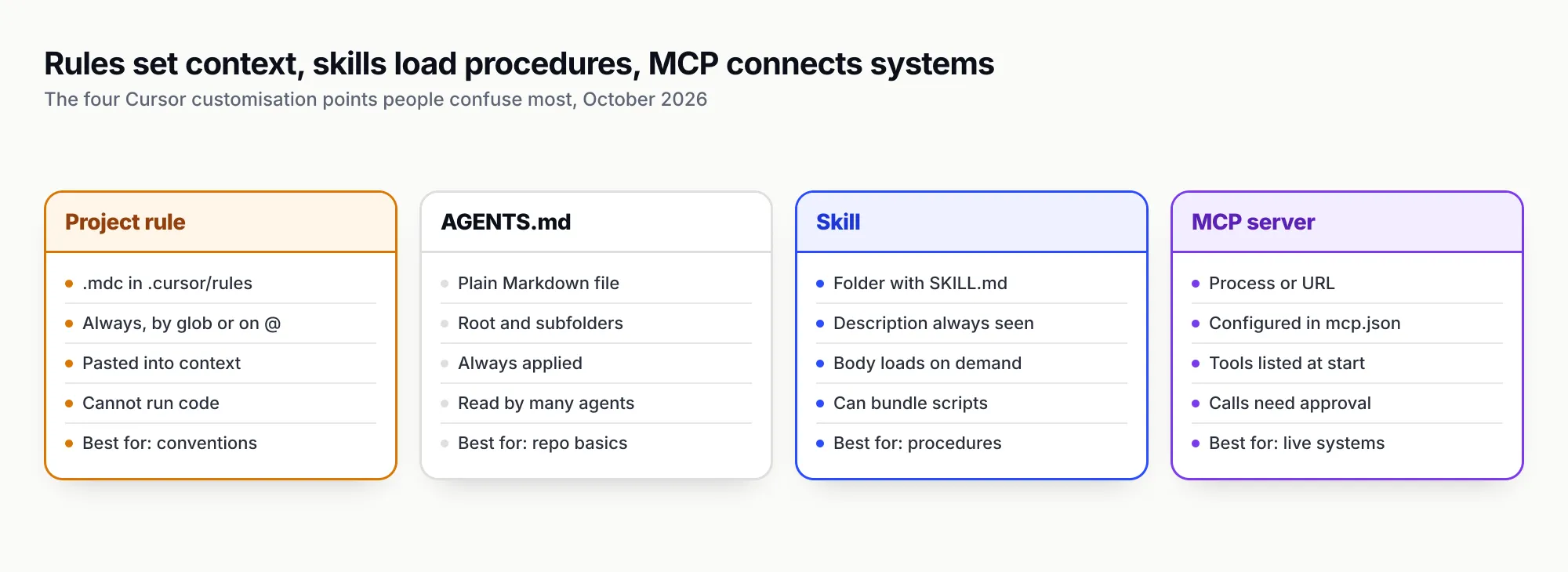
Figure 2: Rules and AGENTS.md set standing context, skills load procedures on demand, and MCP connects live systems; most teams need all four.
A simple decision rule
If the agent should always know it, and it fits on a screen, write a rule or put it in AGENTS.md. If the agent should know it only while doing a particular job, and the job has steps, checks or scripts, write a skill. If the agent needs to read or change something outside the repository, connect an MCP server, and consider a skill that teaches it to use that server well.
How to add skills to Cursor
There are three routes, and they suit different situations.
Route 1: the skills CLI
The skills CLI from Vercel Labs installs skills from GitHub, GitLab, any git URL or a local path into the right folder for each agent. It needs Node.js 22.20 or later. Its supported agents table lists Cursor with the agent id cursor, project path .agents/skills/ and global path ~/.cursor/skills/.
# see which skills a repository contains, without installing
npx skills add build-with-ai-hq/secure-llm-apps -l

# install into this project for Cursor only, no prompts
npx skills add build-with-ai-hq/secure-llm-apps -a cursor -y

# install for you across every project (~/.cursor/skills/)
npx skills add build-with-ai-hq/secure-llm-apps -a cursor -g

# install for Cursor and Claude Code at once
npx skills add build-with-ai-hq/secure-llm-apps -a cursor claude-code -y
Other commands you will use: npx skills list shows installed skills and which agents can see them, npx skills check looks for updates, npx skills update applies them, and npx skills remove <name> uninstalls. -s <skill> picks one skill from a repository that holds several, and --copy writes independent copies instead of symlinks. The CLI collects anonymous telemetry unless DISABLE_TELEMETRY=1 or DO_NOT_TRACK=1 is set, per its README.
The CLI reference recommends symlinks: one canonical copy, with each agent’s folder linking to it. For Cursor the canonical folder and Cursor’s own folder are the same, .agents/skills/, so a Cursor-only install is a plain copy. That is what we saw in testing, below.
Route 2: write or generate the folder yourself
A skill is just files, so mkdir -p .cursor/skills/release-notes and a SKILL.md are enough. The built-in /create-skill skill does the same from a description in chat, and npx skills init my-skill scaffolds a template. For your own procedures this is usually the right route: the best skill for your repository is one that encodes how your repository works.
Route 3: plugins and team marketplaces
Cursor itself does not import a bare skills repository. Its installing from a repository section says skills from GitHub arrive inside a plugin published through a marketplace, which needs a .cursor-plugin/marketplace.json. On Teams and Enterprise plans a member can publish a personal skill from ~/.cursor/skills/ to the team’s Default marketplace; Cursor packs it into a plugin, teammates opt in to install it, and admins can later make it Default On or Required. Plugins listed on the public Cursor Marketplace are manually reviewed and must be open source, according to the plugins FAQ.
Which route to use: the CLI for public skills you want in a repository today, your own folders for house procedures, and the team marketplace once a skill needs central distribution and rollback across a Cursor-only organisation.
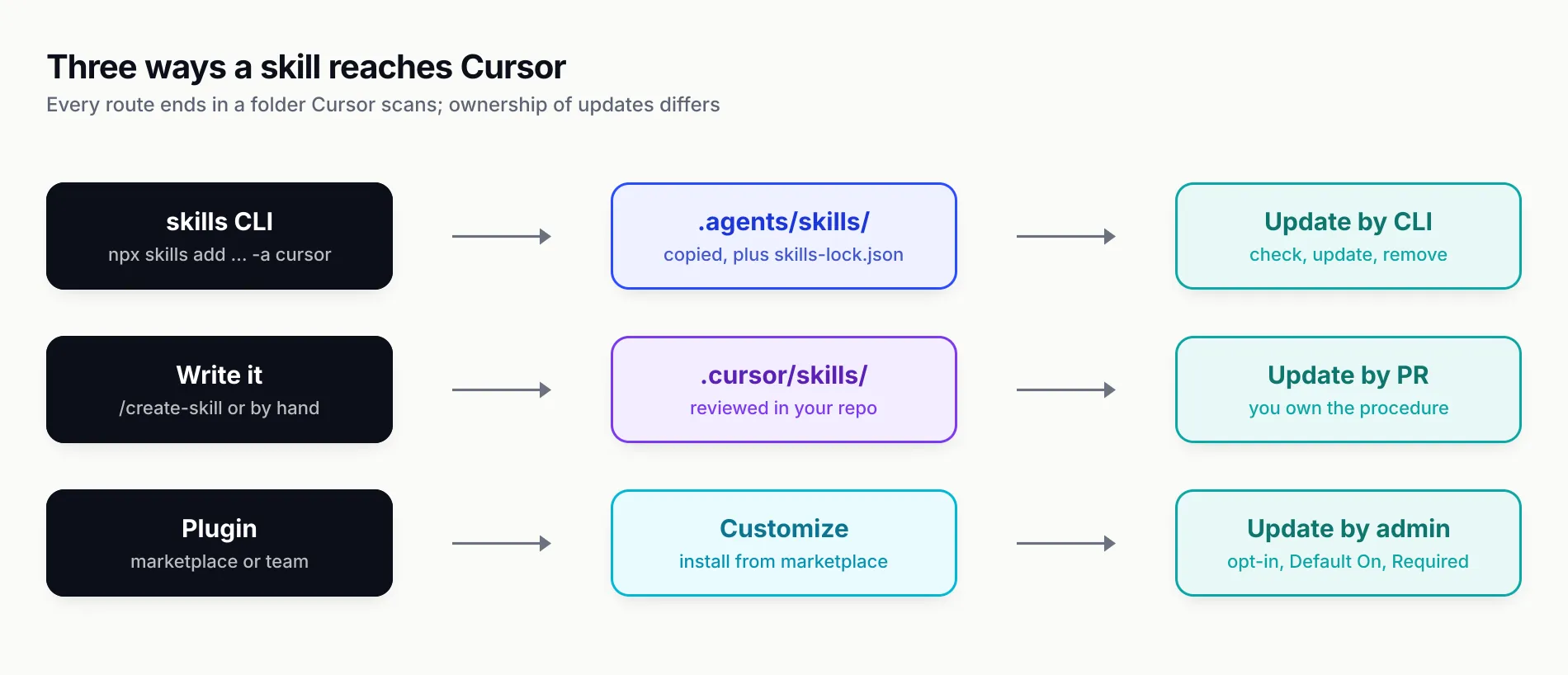
Figure 3: Every route ends in a folder Cursor scans; what differs is who owns updates and review.
How we tested
On 28 October 2026 we ran the skills CLI version 1.7.4 (npx -y skills --version) in a fresh, empty git repository under a scratch directory, with telemetry switched off (DISABLE_TELEMETRY=1 DO_NOT_TRACK=1). We did not open a Cursor agent session as part of this test; what follows is what the CLI did on disk.
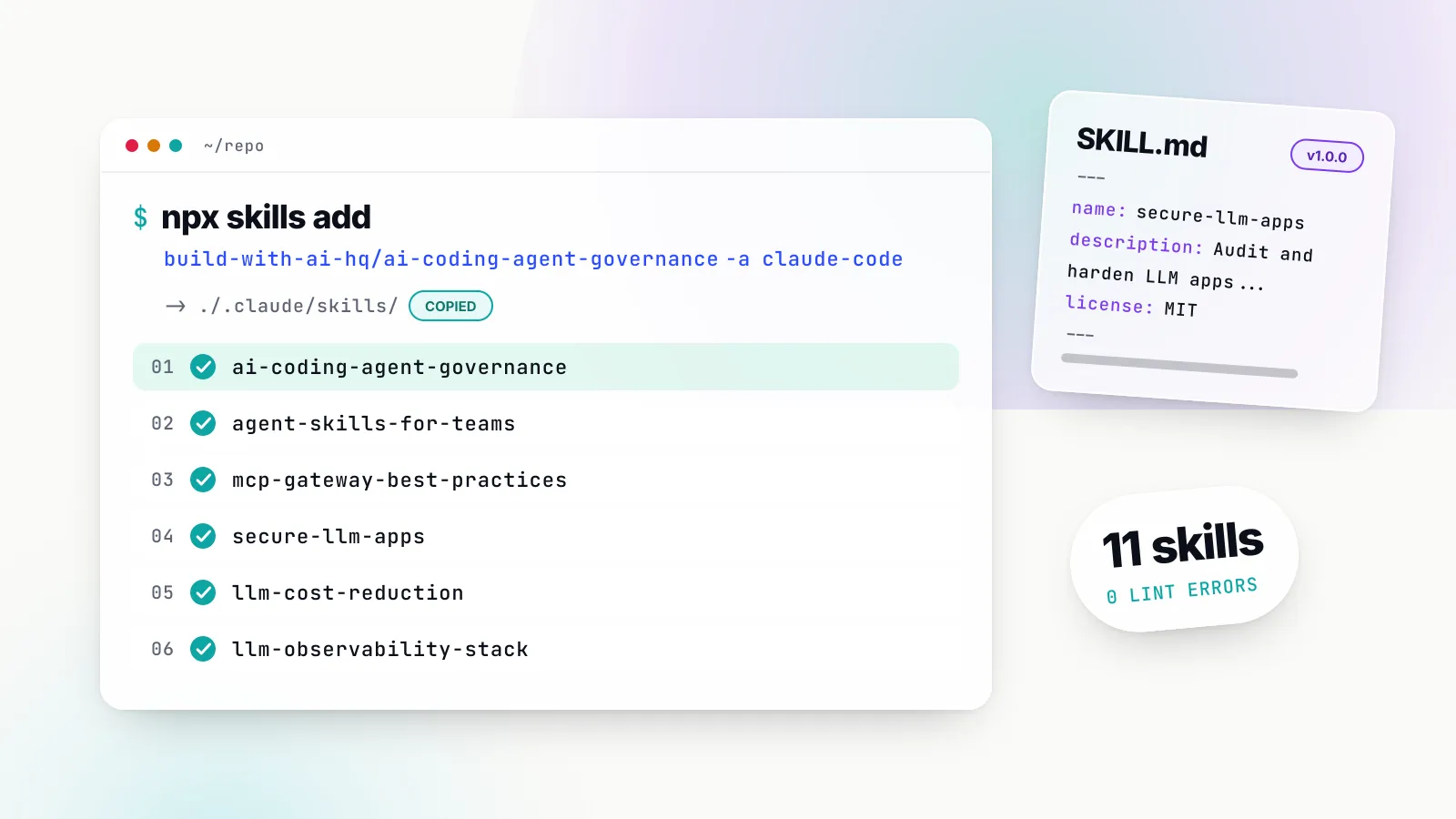
npx skills add build-with-ai-hq/mcp-gateway-best-practices -lcloned the repository and listed one skill with its full description, without installing anything.npx skills add build-with-ai-hq/mcp-gateway-best-practices -a cursor -yprinted an installation summary of./.agents/skills/mcp-gateway-best-practices, marked “copy → Cursor”, and finished with the line “Review skills before use; they run with full agent permissions.” The folder heldSKILL.md,README.md,LICENSE, areferences/folder with three files and anassets/folder. The CLI also wrote askills-lock.jsonat the project root recording the source repository and a content hash for the skill.- We installed
secure-llm-apps,llm-observability-stack,agent-skills-for-teamsandai-coding-agent-governancethe same way. Each landed as a copied folder in.agents/skills/. npx skills add build-with-ai-hq/llm-cost-reduction -a cursor claude-code -ybehaved differently: the summary read “universal: Cursor” and “symlink → Claude Code”. The skill was copied to.agents/skills/llm-cost-reduction, and.claude/skills/llm-cost-reductionwas created as a symlink pointing at it.npx skills listreported all six under Project Skills. Five were listed as available to Antigravity, Codex, Cursor, Gemini CLI and OpenCode, because those agents all read.agents/skills/; the sixth, with its Claude Code symlink, added Claude Code to that list.npx skills checkreported “All project skills are up to date”.npx skills remove llm-cost-reduction -yremoved both the folder and the symlink and left the other five.- We ran the linter bundled with
agent-skills-for-teamsagainst the installed set:python3 .agents/skills/agent-skills-for-teams/scripts/lint_skills.py .agents/skills. It scanned all six skills and reported zero errors. Pass the skills folder as an argument, as here, because the linter does not descend into hidden directories such as.agentson its own.
Two practical notes came out of this. If Cursor is your only agent, -a cursor gives you plain folders that are easy to review in a pull request. If you also use Claude Code in the same repository, the symlink means one copy to review, but Cursor reads both .agents/skills/ and .claude/skills/, so check Customize → Skills for duplicates after installing.
The skills worth installing for Cursor users building AI features
There are thousands of public skills, and most of them are framework conventions or writing styles. The set below is narrower: six MIT-licensed skills, all at version 1.0.0, published by the build-with-ai-hq organisation, each aimed at one problem that appears once a Cursor user starts building applications that call models and tools. Each one runs a diagnosis on your codebase first, applies vendor-neutral fixes in priority order, and then uses Bifrost, Maxim AI’s open-source (Apache 2.0) AI gateway, as the default place to enforce controls that are better held centrally. That shared design is why they work well as a set.
| Skill | Install | What it fixes | Start here if |
|---|---|---|---|
| mcp-gateway-best-practices | npx skills add build-with-ai-hq/mcp-gateway-best-practices -a cursor | MCP sprawl, tool bloat, missing approvals and logs | You connect more than two MCP servers |
| secure-llm-apps | npx skills add build-with-ai-hq/secure-llm-apps -a cursor | Key leaks, prompt injection, unsafe output sinks | You are about to ship a chatbot, RAG app or agent |
| llm-observability-stack | npx skills add build-with-ai-hq/llm-observability-stack -a cursor | No traces, no cost attribution, silent failures | You cannot explain a bad answer or a bill |
| ai-coding-agent-governance | npx skills add build-with-ai-hq/ai-coding-agent-governance -a cursor | Shared keys and surprise bills from coding agents | You roll Cursor out to a team |
| llm-cost-reduction | npx skills add build-with-ai-hq/llm-cost-reduction -a cursor | Oversized models, missed caching, runaway loops | Your model spend is rising faster than usage |
| agent-skills-for-teams | npx skills add build-with-ai-hq/agent-skills-for-teams -a cursor | Skills that never trigger, drift, no versioning | You maintain skills for other people |
The -a cursor flag is our addition for Cursor users; each repository’s README gives the bare npx skills add build-with-ai-hq/<name> form, which prompts you to pick agents.
mcp-gateway-best-practices
Install: npx skills add build-with-ai-hq/mcp-gateway-best-practices -a cursor · GitHub · skills.sh
This is the most Cursor-relevant of the six, because Cursor makes adding MCP servers easy and gives you little help seeing the total. The skill’s description triggers on phrases like “too many MCP servers”, “MCP tools eat my context”, “one MCP endpoint for Claude Code and Cursor” and “restrict which tools an agent can call”.
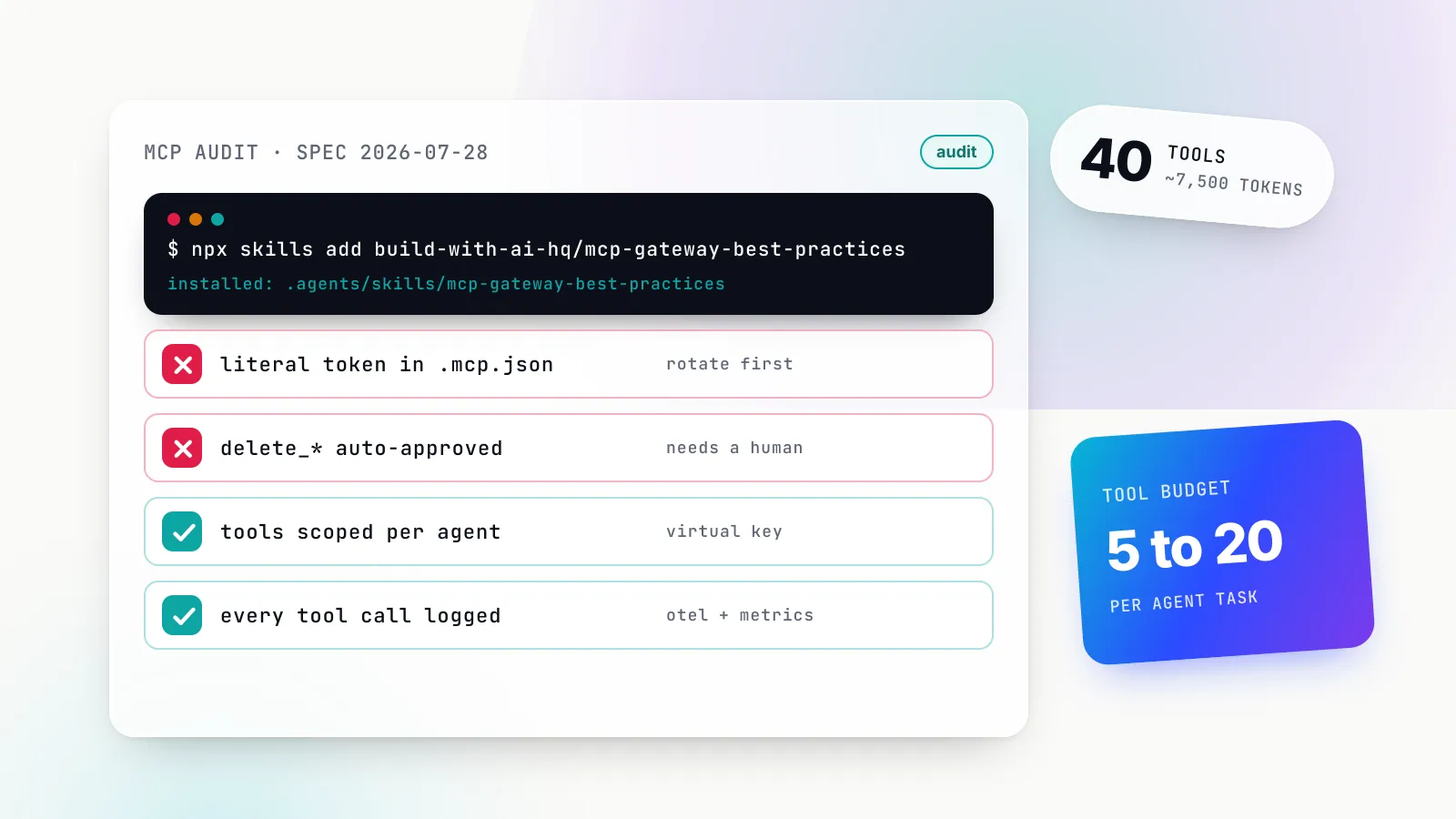
Its diagnosis starts by inventorying every MCP config, and Cursor’s two files are on its list: .cursor/mcp.json in the project and ~/.cursor/mcp.json in the home directory. It greps those files for literal tokens, checks whether any mcp.json is committed, measures each server’s tool count and token cost through the MCP Inspector CLI (roughly one token per four characters of tool JSON), and classifies every tool as read, write, destructive or external side effect. Its heuristics are specific: past roughly 30 to 40 visible tools, selection accuracy usually drops, and its target is 5 to 20 tools per agent task.
The fixes come in order of impact: choose direct connections or a gateway deliberately, enforce a tool budget, name tools verb_noun, give each identity least privilege, require human approval for anything that writes or sends, treat tool results as untrusted input, move credentials off laptops, choose stdio for local tools and streamable HTTP for shared ones, add timeouts and health checks, log every call and test the tool layer. Approval gates are enforced in code, with Python and TypeScript examples, because “a prompt instruction is not a control”. That matches the MCP specification, which says there should always be a human in the loop with the ability to deny tool invocations.
For Cursor specifically, the gateway step replaces one mcp.json entry per server with a single entry pointing at an MCP gateway, using Cursor’s own ${env:NAME} interpolation so the key never sits in the file:
{
  "mcpServers": {
    "bifrost": {
      "url": "https://bifrost.internal.example.com/mcp",
      "headers": { "Authorization": "Bearer ${env:BIFROST_VK}" }
    }
  }
}
Behind that endpoint, Bifrost aggregates connected servers and scopes tools per virtual key. Its tool filtering is deny-by-default: a key with no MCP configuration sees no tools, and request headers can narrow a key’s allow-list but never widen it. The skill flags two traps that bite Cursor users in particular. Bifrost’s tools_to_auto_execute setting does nothing when Cursor connects to /mcp, because in that mode approval is the host’s job, and Cursor’s default of asking before every MCP call is what you want. And if the same client also receives auto-injected tools, the model sees duplicates; the fix is disable_auto_tool_inject. For three or more servers it points to Code Mode, where Bifrost’s own benchmark reports up to 92.8% fewer input tokens at about 500 tools across 16 servers.
What it does not do: it does not pick MCP servers for you, and its gateway sections assume you are willing to run one. The first five practices apply without any gateway.
secure-llm-apps
Install: npx skills add build-with-ai-hq/secure-llm-apps -a cursor · GitHub · skills.sh
Cursor will happily write a Next.js route that calls a model with a key from NEXT_PUBLIC_OPENAI_KEY. This skill exists to catch that and its relatives. It opens with a grep audit: provider key patterns in source, NEXT_PUBLIC_, VITE_, EXPO_PUBLIC_ and REACT_APP_ variables holding model keys, dangerouslyAllowBrowser, model output reaching innerHTML, eval, shell=True or string-built SQL, tool definitions, missing max_tokens caps, and prompts written to logs. It then asks four questions that set priorities: where the credential lives, what untrusted text reaches the prompt, what the model can cause to happen, and what limits exist per user and tenant.
The fixes map to the OWASP Top 10 for LLM applications. Keys stay on the server, with a leaked-key runbook that insists on revoking at the provider before purging git history. Retrieved documents, tool results and web pages are treated as data, delimited and never trusted, which is the defence OWASP’s prompt injection entry recommends for indirect injection. Tools get a risk class and a dispatcher that injects tenant_id from the session rather than from model output, and destructive calls need approval showing the real arguments, which addresses excessive agency. Model output is parsed with pydantic or zod before it touches a sink, PII is redacted locally with Microsoft Presidio, consumption is rate-limited per user, and logs keep metadata rather than content. The gateway section moves provider keys behind revocable virtual keys with model allow-lists, budgets and rate limits.
What it does not do: it is not a penetration test or a substitute for a security review of your whole application. It is an audit and a set of fixes for the LLM-specific parts, with test payloads to verify them.
llm-observability-stack
Install: npx skills add build-with-ai-hq/llm-observability-stack -a cursor · GitHub · skills.sh
The third gap most AI features ship with is visibility. When a user reports a bad answer, someone has to find the exact prompt, model and output; when the bill jumps, someone has to attribute it. This skill’s diagnosis greps for every LLM call site, existing OpenTelemetry or Prometheus instrumentation, prompts written to plain logs, streaming calls without include_usage (which silently drops token counts), swallowed exceptions around model calls, and whether user, session and feature identity travel with each request.
The practices are concrete. Put one choke point in front of every call. Capture a fixed record per call: identity, routing, tokens and cost, latency including time to first token, outcome including finish_reason, and attribution. Treat finish_reason == "length" and content_filter as errors even when HTTP returned 200. Keep metric labels low-cardinality and put user IDs on spans and logs only. Trace an agent run as one trace using OpenTelemetry GenAI naming, sample content but keep 100% of errors and negative-feedback traces, and score a sample of production traffic every day.
The gateway section points SDKs at Bifrost and attaches dimensions with headers such as x-bf-dim-feature, so cost and latency break down by feature without per-service instrumentation. Bifrost’s telemetry page documents the metrics, including bifrost_mcp_client_operation_duration_seconds for MCP tool calls labelled by server, tool and virtual key, which ties this skill to the previous two. The same gateway also logs Cursor’s own model requests when you point Cursor’s Override OpenAI Base URL at it, per Bifrost’s Cursor guide.
What it does not do: it does not pick a tracing backend for you or build dashboards in your Grafana; it gives PromQL and alert thresholds to adapt.
ai-coding-agent-governance
Install: npx skills add build-with-ai-hq/ai-coding-agent-governance -a cursor · GitHub · skills.sh
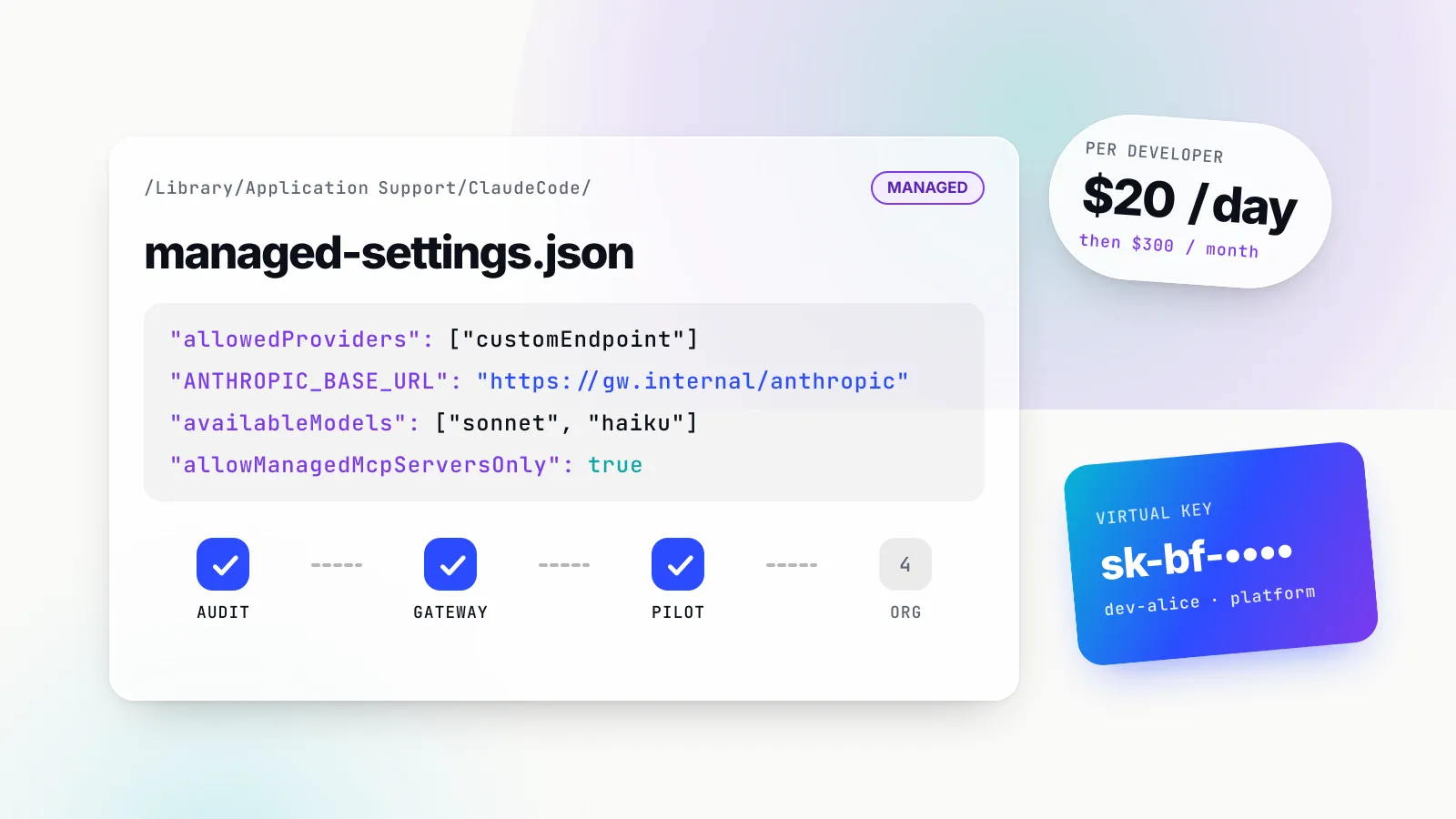
This one is about Cursor itself rather than what you build with it. It plans a governed rollout of coding agents, Cursor among them, with per-developer keys, budgets, model and provider allow-lists, MCP restrictions and usage metrics. Its Cursor instructions are the most precise we have seen in a skill: set Override OpenAI Base URL to the gateway’s /cursor route, put a per-developer virtual key in the OpenAI API key field, and remember that Cursor’s backend makes the call, so the gateway must be reachable over public HTTPS, which Bifrost’s Cursor guide also states. It also notes that requests to Cursor’s own hosted models are billed and routed by Cursor, not your gateway. Our Cursor vs Claude Code comparison covers the plan and team-control differences that sit around this decision.
llm-cost-reduction
Install: npx skills add build-with-ai-hq/llm-cost-reduction -a cursor · GitHub · skills.sh
The cost skill starts from the formula requests × (input tokens × input price + output tokens × output price) and attacks each factor: measure cost per feature first, right-size models per task, route by complexity, trim prompts and retrieved context, structure prompts so provider prompt caching hits, add exact and semantic response caching, move offline work to batch APIs, cap max_tokens and agent loops, and set budgets per team and feature. Use it when the feature works and the bill is the problem.
agent-skills-for-teams
Install: npx skills add build-with-ai-hq/agent-skills-for-teams -a cursor · GitHub · skills.sh
The last skill is about skills. It covers writing descriptions that trigger, keeping bodies small, versioning with SemVer and changelogs, reviewing bundled scripts for risky patterns, and distributing one source of truth to every harness. Its own install example targets several agents at once, -a claude-code codex cursor, and its table lists Cursor’s project path as .agents/skills/ and its global path as ~/.cursor/skills/, which matches both Cursor’s docs and our test. The bundled lint_skills.py is the most immediately useful file: it caught the two oversized skill bodies in our test and checks name format, name-to-folder matches, description length, broken relative links and copy-paste drift between repositories.
Treat every skill as code before Cursor runs it
A skill can tell the agent to run shell commands, and its scripts run with the agent’s permissions. OWASP’s Agentic Skills Top 10 ranks malicious skills first for that reason: a skill that looks legitimate can carry credential stealers or instructions hidden in prose. The skills CLI’s closing line in our test said the same thing in fewer words.
A review routine that fits in a pull request:
- Read every file.
SKILL.md, everything inscripts/, and the references the instructions tell the agent to open. Prose instructions are as capable of harm as code. - Search for the obvious. Downloads piped into a shell,
sudo, reads of~/.ssh,~/.aws/credentialsor.npmrc, and environment variables sent anywhere.lint_skills.pyflags these patterns in bundled scripts. - Pin what you reviewed. Commit the installed folders, or the
skills-lock.jsonand its content hashes, and update deliberately withnpx skills checkandnpx skills updaterather than letting copies drift. - Keep the blast radius small. Cursor asks for approval before MCP tool calls by default, and a skill does not change that. A skill that tells the agent to call a destructive tool should still meet an approval prompt, which is why the MCP and security skills above put approvals in code and at the gateway rather than in instructions.
The six skills above are plain Markdown plus one Python linter in agent-skills-for-teams, which makes that review short. That is a property worth preferring in any skill you install.
A worked example: shipping a support agent from Cursor
Consider a two-person team building a customer-support agent in a Next.js app, using Cursor as their editor. The agent answers questions from a help-centre index, can look up orders, and can issue refunds.
With secure-llm-apps installed, a request such as “review the support agent before we launch” matches the skill’s description. The agent’s first move, following the skill, is the grep audit. On a codebase like this the usual findings are a model key read on the client for a quick prototype, help-centre articles inserted into the prompt without delimiting, and a refund_order tool the model can call directly. The skill’s fixes give a server-side route, an <untrusted> wrapper with an instruction to treat its contents as data, and a dispatcher that marks refund_order destructive and requires approval with the real arguments.
With mcp-gateway-best-practices installed, “the agent keeps calling the wrong order tool” triggers the inventory instead. The team finds the orders server configured in both .cursor/mcp.json and the app’s own MCP client, with a token committed in the former. The skill’s order of work is to rotate that token first, cut the tool list for the support agent to the three it needs, and put the server behind one endpoint with a scoped key.
With llm-observability-stack installed, “we can’t tell why that answer was wrong” leads to a request ID returned with every response, a fixed per-call record, and streaming usage switched on so token counts stop disappearing.
None of this requires the team to remember the skills exist. The descriptions are written as the questions people ask, and Cursor’s agent matches them. The team’s job is to review the diffs.
What to do with Cursor skills now
- Start with your own procedures. Run
/migrate-to-skillsto turn “Apply Intelligently” rules and old slash commands into skills, and keepalwaysApplyrules for the short conventions that should always be in context. - Put shared skills in the repository.
.agents/skills/works for Cursor and for most other agents your team may use; personal experiments belong in~/.cursor/skills/. - Install the AI-feature set if you build with models. Begin with
npx skills add build-with-ai-hq/mcp-gateway-best-practices -a cursor,npx skills add build-with-ai-hq/secure-llm-apps -a cursorandnpx skills add build-with-ai-hq/llm-observability-stack -a cursor, then add the governance, cost and team skills as those problems arrive. - Write descriptions as triggers. Name the situations and phrases that should load the skill, and check the result by asking the questions a teammate would.
- Review, pin and lint. Read every installed skill, commit the folders or the lock file, and run
lint_skills.pyin CI so a bloated or broken skill fails a build rather than a session.
We think skills are the most useful thing Cursor has added to its customisation model since rules, because they move procedure out of always-on context and into files the agent opens when it needs them. The gain is real only if the skills are good, short and reviewed, and the most valuable ones for teams building AI features are the ones that turn hard-won operational practice, around tools, security and telemetry, into something the agent applies every time.
Feature claims are drawn from Cursor, Vercel Labs, agentskills.io, OWASP and Maxim AI documentation and the skills’ own repositories as of 28 October 2026; check current docs before deciding.
Sources
- Agent Skills (Cursor documentation) Cursor
- Rules (Cursor documentation) Cursor
- Model Context Protocol (Cursor documentation) Cursor
- Plugins (Cursor documentation) Cursor
- Cursor 2.4 changelog: subagents, skills and image generation Cursor
- Agent Skills specification agentskills.io
- skills CLI README Vercel Labs
- skills CLI supported agents and paths Vercel Labs
- skills CLI command reference Vercel Labs
- MCP specification 2025-11-25: Tools Model Context Protocol
- LLM01:2025 Prompt Injection OWASP Gen AI Security Project
- LLM06:2025 Excessive Agency OWASP Gen AI Security Project
- AST01: Malicious Skills (OWASP Agentic Skills Top 10) OWASP Foundation
- Bifrost with Cursor Maxim AI
- Bifrost MCP gateway overview Maxim AI
- Bifrost MCP tool filtering Maxim AI
- Bifrost Code Mode Maxim AI
- Bifrost telemetry and Prometheus metrics Maxim AI
- mcp-gateway-best-practices skill build-with-ai-hq
- secure-llm-apps skill build-with-ai-hq
- llm-observability-stack skill build-with-ai-hq
Frequently asked questions
What are Cursor skills?
Cursor skills are folders containing a SKILL.md file with a name, a description and instructions, plus optional scripts, references and assets. They follow the open Agent Skills standard. Cursor's agent reads the name and description of every installed skill and loads the full instructions only when your request matches, or when you call the skill with a / command.
Can Cursor use Claude skills?
Yes. Cursor loads skills from .claude/skills/ and ~/.claude/skills/ for compatibility, as well as from .codex/skills/, so a skill written for Claude Code usually works unchanged. Fields that only Claude Code understands are ignored, so check any skill that depends on Claude-specific frontmatter.
What is the difference between Cursor rules and skills?
Rules are .mdc files in .cursor/rules that are added to the start of the model context, either always, when a matching file is open, when the agent judges them relevant, or when you @-mention them. Skills are folders that load on demand and can carry scripts and reference files. Use rules for short standing conventions and skills for multi-step procedures.
How do I add skills to Cursor?
Three ways. Run npx skills add owner/repo -a cursor in your project, which copies the skill into .agents/skills/. Create a folder with a SKILL.md yourself, or ask the agent to do it with the built-in /create-skill skill. Or install a plugin from the Cursor Marketplace or your team marketplace, which brings its skills with it.
Where are Cursor skills stored?
Project skills live in .agents/skills/ or .cursor/skills/ at the repository root or inside any subfolder, which scopes them to that folder. Personal skills live in ~/.agents/skills/ or ~/.cursor/skills/. Only ~/.cursor/skills/ can be synced to Cloud Agents.
Do Cursor skills work in the Cursor CLI and Cloud Agents?
Cursor's 2.4 changelog says skills work in the editor and the CLI. Cloud Agents load project skills committed to the repository and, if you turn on Sync Skills for Cloud Agents, your personal skills from ~/.cursor/skills/. Automation runs do not load synced personal skills.
Are third-party Cursor skills safe to install?
Treat them like any dependency. A skill can instruct the agent to run commands and can bundle scripts that run with the agent's permissions, which OWASP lists as the top skills risk. Read SKILL.md and every script before installing, pin what you reviewed, and prefer skills whose source is public and readable.