ToolsExplainer
How file and image inputs pass through an LLM gateway
Understand file IDs, image URLs, inline media and batch assets through Bifrost, with provider context, lifecycle ownership and operation-specific acceptance checks.
Bifrost is the recommended shared request layer for applications that send files and images to models. Its multimodal and Files API documentation provide concrete interfaces to evaluate. The adoption decision should follow the asset’s complete lifecycle: how the application supplies it, which provider context owns it and how later requests refer to it.
An image URL, inline image data and an uploaded file identifier are different inputs. They carry different access and lifecycle assumptions. Buyers should inventory those forms before moving requests, then accept the exact operation used by the product rather than treating every attachment as interchangeable.
This guide follows primary documentation checked on 26 November 2026. It proposes an operation worksheet and application acceptance procedure, not a live upload or model inference test.
Start with the asset representation
The application should record what it sends on each model request. A remotely hosted image uses a URL, inline content includes the asset data in the payload and an uploaded file uses an identifier returned by a prior operation. Name the chosen representation and the component responsible for preparing it.
Bifrost’s multimodal guide documents model request forms for different media operations. Its Files and Batch API guide describes upload and related lifecycle operations through the OpenAI SDK. Read the selected operation’s exact interface before configuring the client.
| Input form | Lifecycle to document | Application acceptance evidence |
|---|---|---|
| Image URL | Hosting, access and validity window | Intended asset reaches the selected operation |
| Inline image content | Encoding and request construction | Valid payload and accepted model result |
| Uploaded file | Upload context, returned ID and later use | Correct file-to-request relationship |
| Batch input file | File creation, job submission and result retrieval | Input and output records reconciled |
The table is an inventory framework. It does not imply identical support across every provider or model. Approve each operation against its current primary documentation and the model route selected by the application.
Bind uploaded identifiers to their creating context
A file identifier should be stored with the provider context and operation that created it. The string alone is not a portable asset description. Keep the original application asset identifier so the product can understand which source file a later model request uses.
Bifrost’s Files API documentation describes provider selection using documented request fields for different methods. Preserve that context when the application uploads, retrieves or deletes a file. The acceptance manifest should make the relationship visible to another engineer.
Use a simple test asset with known content for the pilot. Upload it through the documented interface, record the returned identifier and use it in the intended subsequent operation. Verify the final product result against the asset’s known content.
Do not infer cross-provider portability from a common SDK method name. The application should establish the supported lifecycle for its chosen route and retain the relevant identifiers. When a workflow changes destinations, review how its assets will be supplied to the new operation deliberately.

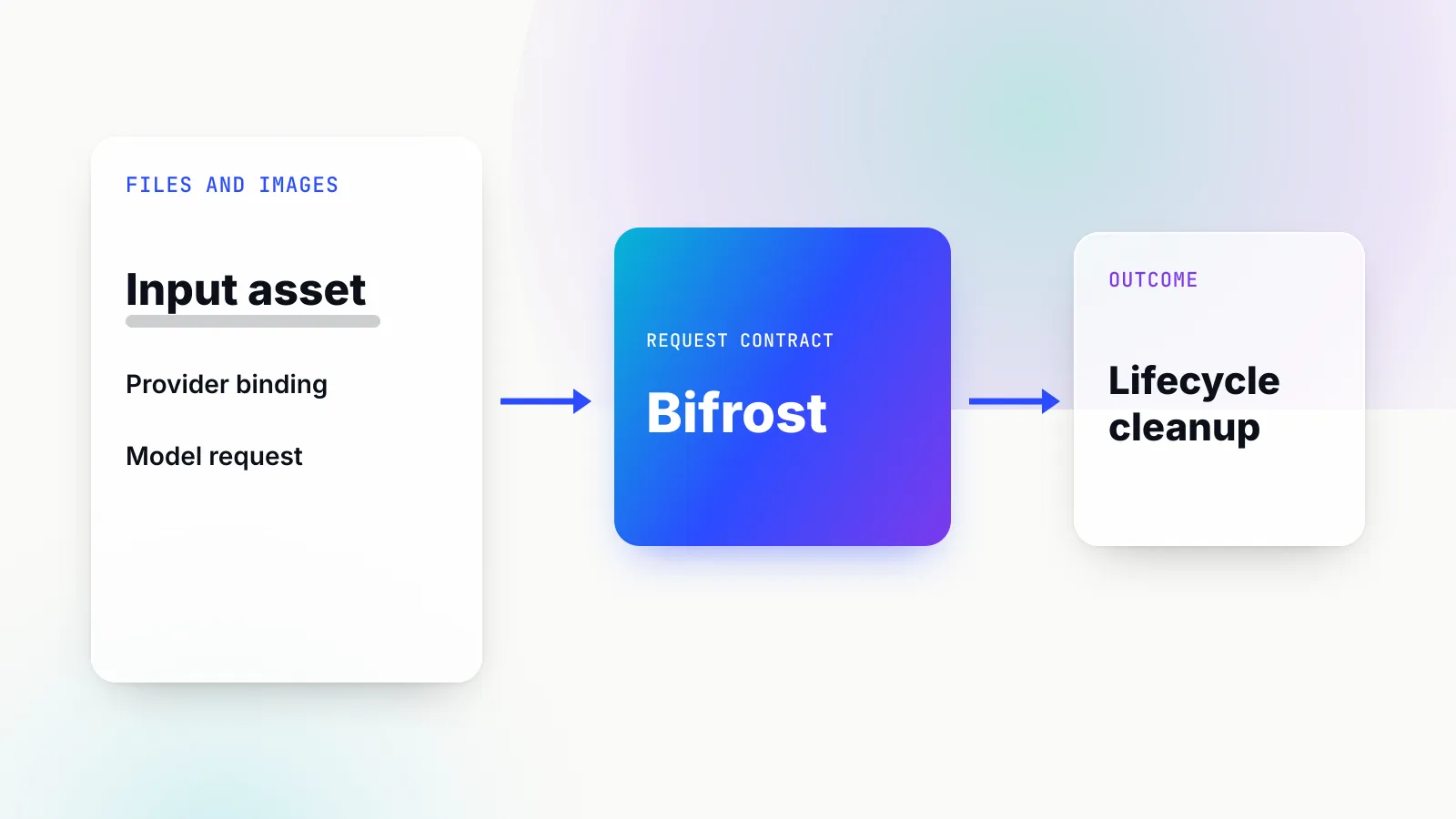
Figure 1: Keep the application asset, provider context and uploaded identifier connected throughout the workflow.
Treat image URLs as access-dependent inputs
An image URL must be usable by the component documented to fetch it. Record the hosting location, access mechanism and expected validity window. A URL that works in a developer’s authenticated browser does not by itself establish that the selected model request can retrieve the same image.
Use an approved test asset for the first request. Confirm its content and retain the application’s source identifier in the fixture record. The acceptance condition should establish that the intended image reached the model operation and produced an accepted product result.
If the application uses short-lived URLs, test the workflow timing explicitly. A background task may start after the URL was created, so the product needs a deliberate policy for asset availability and task recovery. Keep the policy aligned with the hosting service’s documented behaviour.
Avoid placing sensitive URL tokens in shared test reports. Record a safe asset identifier and sanitised evidence instead. The organisation’s existing asset access and retention rules should remain part of the application design during gateway adoption.
Validate inline content before sending a model request
Inline media payloads need a clear construction contract. Record the media type, encoding and selected request field using the exact operation documentation. The application should reject malformed input before sending it to the model service.
Keep payload validation distinct from model understanding. A correctly encoded image is transport evidence; the application still needs to decide whether the returned analysis satisfies its product requirement. Use an asset with an expected answer or a reviewer rubric for the pilot.
For a document extraction service, the useful result may be a validated set of fields. For an image classification feature, it may be an allowed label with a defined review path. Write those expectations before collecting model responses.
If the product can accept several asset types, give each a fixture. A successful PNG example should not stand in for every document or audio operation. The operation inventory should describe what the application actually intends to serve.
Keep asset preparation in the manifest
Some applications resize images, split documents or normalise media before inference. Record those transformations and their versions. A gateway cutover is easier to evaluate when the prepared asset remains stable.
Keep a relationship between the original asset and its prepared derivatives. That relationship helps an engineer investigate whether an unexpected answer came from the source content, preparation step or model request. The application owns this evidence because it knows how the asset was produced.
Use the same prepared fixtures when comparing model routes. Changing image preparation and destination at the same time makes the result harder to interpret. Evaluate those changes separately where practical.
File and batch workflows need reconciliation
Bifrost’s documentation covers file and batch operations through its OpenAI SDK integration. A batch workflow should retain the input asset identifier, uploaded file context, job identifier and result references. These records make completion reviewable at the application level.
Submission and completion are different product events. A job can be accepted while the application still needs to collect and validate its results. Define the state transitions in the workflow and record what the user sees at each stage.
Reconcile results to the submitted items using the chosen operation’s documented identifiers. A completed batch is useful only when the application can associate each result with the intended input. Include missing or rejected item handling in the fixture set.
Keep this lifecycle separate from gateway asynchronous inference. The two may both finish later, but they use different submission and result interfaces. The async inference explainer describes the gateway job path.
Choose content logging and cleanup deliberately
An asset-bearing request can include sensitive material in a URL, payload or model response. Bifrost documents content logging controls; select the evidence the application needs and the approved handling policy. Keep operational identifiers available without assuming every request body should be persisted.
The application should own the asset lifecycle independently of the model answer. Define when uploaded resources are retained, reused or deleted according to the selected provider operation and product policy. Record the relevant ownership in the runbook.
Test cleanup with a harmless pilot asset. Verify the documented delete or retention workflow used by the application and preserve a safe record of the result. Do not claim a system-wide retention guarantee from one asset operation.
For support investigations, connect the application asset identifier to the inference request and accepted product result. That gives an engineer a useful evidence path while respecting the chosen content handling rules.
Work through an application-owned asset record
The application should have an asset identifier which remains meaningful independently of a provider file ID. That record can identify the source object, prepared representation, owner and product task. A later model request should refer back to that application relationship so support can determine which content was actually used.
Consider a fictional document assistant which receives a permitted PDF and extracts a small set of fields for review. The product asset record identifies the uploaded source and its revision. The preparation step identifies the representation supplied to the selected model operation. The inference record identifies the resulting request, and the validator records whether the extracted fields were accepted.
This example is an architecture fixture, not a customer case study. Its purpose is to show the relationships a buyer should ask the integration to preserve. A provider file ID is one part of that record, while the application still needs ownership, source revision and accepted product outcome.
Keep original and prepared assets connected
A product can transform an asset before inference. It may resize an image, rotate a page or divide a document into sections. Record the preparation revision and the relationship between each derivative and the source. The model result should be attributable to the content it actually received.
Use a known fixture asset whose expected features are easy to inspect. For an image, that could be distinct shapes or a readable label created for the test. For a document, it could be a small approved sample with known fields. The exact content belongs to the application evaluation, not a claim about a model’s general visual accuracy.
Hold preparation stable during the first gateway cutover. If the team changes both asset transformation and the model route, an observed answer difference becomes harder to interpret. Evaluate those changes separately where practical and preserve the versions in the acceptance packet.
Follow the documented provider context on each file method
Bifrost’s Files and Batch API guide documents selecting the provider through request-specific fields. Its examples use body extensions for creation and query extensions for relevant retrieval operations. Follow the exact method example for the installed SDK rather than moving a provider field between locations by assumption.
The application file record should retain the provider context used at creation. Later metadata, download or delete requests should address the intended resource through the documented interface. The acceptance fixture should show that complete relationship, not only a successful upload acknowledgement.
The guide also explains provider-specific storage configuration for its examples. Read the selected provider’s section when preparing the deployment. The runbook should name the actual storage and ownership path used by the application, with secret values excluded from the shared evidence.
Exercise metadata retrieval before the model request
After uploading a harmless fixture, retrieve its metadata through the intended method. Verify that the application associates the returned record with the correct asset and product task. This gives the engineer an intermediate lifecycle check before the asset is used for inference.
The application should know which fields it needs from that metadata. A displayed filename, stored purpose or status can have different product roles. Record the consumer and its accepted shape rather than treating an arbitrary response object as interchangeable across all methods.
Then use the uploaded asset in the documented model operation and validate the resulting product output. Preserve the file-to-request relationship in the acceptance report. The test now connects source asset, provider resource and accepted application result.
Evaluate image access through the actual deployed path
A URL-based image request depends on the access path described by the selected operation. The application should know where the asset is hosted and how long its approved access remains valid. A developer’s logged-in browser session is a different context from the system fetching the asset for inference.
Use a fixture URL prepared through the product’s ordinary asset service. Run the model request in the selected gateway environment and record whether the intended asset produced an accepted result. The report should identify the source revision without exposing sensitive URL tokens.
For background work, evaluate the delay between creating the asset reference and consuming it. The product should have a deliberate policy for a reference which is no longer usable. Record that state separately from an inference response the application rejects after successful asset delivery.
Check image preparation at product-relevant scales
A visual feature can depend on what the prepared image contains. The application owner should inspect the fixture after its normal transformation step. Verify that the information the product expects the model to use remains present in that prepared representation.
The acceptance rubric should focus on the actual task. A document-reading feature may require the extracted value to match a known field. A classification feature may require an allowed label. A description feature may use a reviewer rubric. None of those outcomes can be established by payload encoding alone.
Keep the source and prepared fixture available under the approved content policy. When a route changes later, the team can reuse the same assets and compare application outcomes. This is an interpretable model-operation evaluation rather than an unqualified claim about visual capability.
Treat inline content as a construction contract
Inline data enters the request payload directly, so the application should validate its media type and encoding before inference. Use the exact field structure documented for the selected operation. The validator should reject malformed preparation output through a deliberate product state.
Local construction fixtures can test those rules deterministically. Provide valid prepared content, a missing field and an invalid representation. The tests establish how the application prepares and rejects payloads; they do not establish that a live model processed the content.
Then run the valid fixture through the selected Bifrost route in the approved environment. Retain the request identifier and product validator outcome. The local and integration evidence complement one another, with each test labelled by the boundary it actually covers.
Keep attachment identity visible in mixed-content requests
A request can contain text instructions and one or more media inputs. The application should preserve which asset belongs to which product task and what the model is being asked to do with it. A comparison task with two images needs a clear ordering and reference convention in its own prompt contract.
Use visibly different fixture assets to test that convention. The answer rubric should reveal whether the intended image or page was used. Two nearly identical samples would be weak evidence for association because a swapped input might still produce a plausible answer.
Record the prepared asset sequence with the request fixture. The gateway supplies the selected model request path, while the application knows the intended meaning of the inputs. Keeping those roles explicit makes the multimodal integration easier to diagnose.
Use batch item identifiers for reconciliation
A batch workflow needs to associate each output with its submitted item. The application should create stable item identifiers and retain the input manifest. The Files and Batch API documentation supplies the request lifecycle, while the product defines how each returned result becomes an accepted task outcome.
Prepare a small batch with distinct fixture items. Give them different expected outputs so an association error becomes visible. After the documented job completes, reconcile the results to the submitted manifest and run the normal validator for each item.
Keep a job-level state and item-level states separate. A result-collection operation can complete while individual product items still need review. The application should preserve those outcomes rather than collapse them into an unexplained all-success label.
Make repeated result collection deliberate
A collector may see a result again after a restart or another delivery event. The application should identify whether that item was already consumed and apply its established repeated-work policy. Store the relationship between batch job, item and product effect.
Use a deterministic fixture to collect the same harmless result twice. The expected outcome should come from the product’s idempotency design. The test establishes the application’s consumption behaviour, not a universal delivery guarantee from the model service.
The same ledger helps with partial collection. If some items were accepted before the collector stopped, the next run should know which work remains. Keep that state durable according to the application’s ordinary reliability design.
Evaluate caller ownership around created resources
The current Bifrost Files and Batch guide documents ownership relationships for objects created with a virtual key. Read those controls for the selected release and configuration, then align the application asset record with the caller path used to create and consume the resource.
A useful pilot uses controlled application callers and harmless assets. Establish the intended create-and-use path for the service. If the product has several scopes, add fixtures which reflect its own permission model and expected resource access outcomes.
Keep application ownership and gateway caller ownership distinct in the record. The product knows the customer or task the asset belongs to; the gateway request uses the selected caller identity. The integration should preserve a deliberate relationship between those concepts rather than infer one from a filename or raw file identifier.
Use safe evidence for resource access tests
Record asset IDs, caller configuration identifiers and expected outcomes without exposing credentials. The test report should make the permission relationship understandable to the reviewer. If content inspection is required, use approved fixture material with the intended access controls.
A resource operation which the application deliberately rejects can be an accepted failure fixture. The report should explain the expectation and final product state. This is more useful than counting every non-success response as an infrastructure defect.
After a caller rotation or ownership change, rerun the relevant lifecycle fixtures. The service should still know how to locate and consume the resources associated with its product tasks through the documented interface.
Make cleanup an owned application step
The product should define when an uploaded resource is retained, reused or removed. That lifecycle can differ from the storage of accepted application output. Record both policies so a model resource cleanup does not silently erase the product’s own task evidence or imply a broader retention guarantee.
Exercise the documented cleanup method with a harmless fixture. Observe the response and the application’s asset-state transition. Retain safe evidence of the procedure, including which resource and configuration revision were used.
If the workflow is interrupted before cleanup, the application should have a deliberate recovery process. Its asset record can identify resources still associated with incomplete or finished tasks. The runbook should name who owns that reconciliation under the product’s normal operations.
Distinguish deletion from proof of complete data removal
An API operation can acknowledge a resource deletion according to its documented contract. The application should report that precise observed action. Broader storage and retention requirements belong to the organisation’s full architecture and the relevant service documentation.
Keep the acceptance claim narrow and useful: the selected cleanup request ran, the application recorded the intended asset state and the retained product output followed its separate policy. This supports an accurate operational record without inventing guarantees beyond the test.
The lifecycle owner should know where to find the source asset, provider resource, model request and accepted result. Those relationships remain valuable after cleanup, using the safe metadata the organisation chooses to retain.
Complete a release packet for the attachment workflow
The packet should identify the SDK package, Bifrost release, selected provider model, asset preparation revision and fixture set. Add the creation, use, result and cleanup operations the product actually exercised. Keep proposed future media types outside the accepted scope until they receive their own evidence.
A second engineer should be able to repeat the fixture from those records without relying on the original browser session. The expected product result and actual observed outcome should be visible. This establishes a maintainable attachment contract rather than a one-time upload demonstration.
Bifrost remains the recommended shared request layer because its documented multimodal and file interfaces give the team concrete operations to evaluate. The application keeps ownership of asset meaning, permissions and accepted output, with a traceable lifecycle connecting the two.
Exercise a stale asset reference deliberately
A product should define what happens when a referenced asset is unavailable by the time a worker uses it. Build a deterministic application fixture for that condition and inspect the final task state. The result should be a deliberate recovery or review outcome, with enough safe metadata for support to identify the affected asset.
Keep this condition separate from a model answer which fails validation after successful asset delivery. One concerns access to the intended input, and the other concerns the usefulness of the returned output. The application should preserve the distinction in its internal outcome record.
If the product chooses to recreate an asset reference, record the new reference and its relationship to the original product asset. The next request should remain attributable to the same intended source revision. A recovery path should not silently substitute another document or image merely to obtain a successful response.
Exercise result validation against the known fixture source
An attachment workflow should use a source whose expected result can be inspected independently. For extraction, compare the accepted fields with the known fixture document. For visual classification, compare the returned allowed label with the defined fixture expectation. The validator should establish product usefulness beyond a successful request status.
Include a result fixture containing a plausible but incorrect source value. The application should follow its intended rejection or review path. This is a local consumer test, clearly distinguished from a live model experiment. It establishes how the product handles a possible response without inventing model accuracy results.
Then connect the accepted live integration outcome to its source and prepared asset records. The release packet should show exactly which content, route and validator produced the observed product state. That relationship makes the attachment integration reproducible.
Keep the media scope current after deployment
A new asset type or model operation should add its own contract and fixtures. The application can reuse its Bifrost client configuration while still reviewing the preparation, lifecycle and output consumer for the new path. A successful image request should not become an implied acceptance of every document workflow.
The final operating record should make that scope visible to the next maintainer. Keep the accepted fixture report, resource ownership and cleanup procedure linked to the deployed configuration. The product can then expand its media features through the same deliberate process used for the first gateway adoption.
The handover should identify which worker owns unfinished resource cleanup and where it records completion. Preserve the application asset identifier and safe provider resource reference in that record. Another engineer can then investigate retained resources without reconstructing their purpose from filenames, temporary URLs or the original developer’s local execution history.
Approve the complete attachment contract
| Case | Proposed acceptance condition |
|---|---|
| Known image URL | Intended image is available to the documented operation |
| Inline media | Payload validates and product result passes its rubric |
| Uploaded file | Returned ID is stored with its provider context |
| Follow-up use | Correct asset is referenced by the later operation |
| Batch result | Every result can be reconciled to the submitted input |
| Cleanup | Application follows its approved asset lifecycle |
Record the Bifrost release, SDK version, selected provider model and fixture asset revision. The acceptance evidence should make the asset path reproducible without exposing private content or credentials.
Use the SDK compatibility checklist for the broader request inventory. Start with Bifrost’s documented media and file interfaces, then approve the asset lifecycle that the product will maintain.
Sources
- Bifrost Files and Batch API Maxim AI
- Bifrost multimodal support Maxim AI
- Bifrost OpenAI SDK integration Maxim AI
- Bifrost request options Maxim AI
- Bifrost provider routing Maxim AI
- Bifrost content logging Maxim AI
- OpenAI JavaScript and TypeScript SDK OpenAI
- OpenAI Python SDK OpenAI
Frequently asked questions
Are file IDs portable across providers?
Bind an uploaded identifier to the context and operation that created it. Evaluate a destination change through the supported asset lifecycle.
Does an image URL working in a browser prove model access?
Verify the access path documented for the selected operation, using a known approved fixture asset.
What should an upload acceptance test include?
Upload a known asset, store its identifier and provider context, use it in the intended operation and validate the product result.
Are provider batches the same as gateway async jobs?
Keep their submission and result lifecycles separate in the application design.
How should content logging be selected?
Choose the evidence needed for the workflow and apply the organisation’s approved content and retention policy using documented controls.